

An ADT motion sensor is small, but removing it the wrong way can create annoying problems. You may trigger a tamper alert, damage the wall, break the sensor housing, or leave behind torn paint and adhesive residue. If you are moving, remodeling, replacing equipment, or switching security systems, learning how to remove adt motion sensor from wall can help you do the job safely and neatly.
Most ADT motion sensors are mounted with screws, adhesive strips, a backplate, or a mix of these methods. Some are wireless and battery powered, while others may be wired into the security system. That difference matters because the removal process changes depending on the sensor type.
This beginner-friendly guide explains how to identify the sensor, prepare your system, open the device, disconnect power, remove the mounting base, and clean the wall afterward. With patience and the right steps, you can avoid damage and keep your security system from sending unnecessary alerts.
Why Removing An ADT Motion Sensor Matters
Removing an ADT motion sensor carefully helps protect both your security system and your wall. A rushed removal can trigger tamper signals, damage wiring, crack the sensor case, or pull off paint and drywall paper.
A clean removal is especially important if you rent your home, plan to repaint, or need to install a new sensor in the same area. It also helps if you want to reuse the device later or return equipment as part of a service change.
Taking the right approach can save time, repair costs, and frustration. You will know whether the sensor is wired or wireless, how it is mounted, and what to do before pulling anything from the wall.
Step-By-Step Guide To How to Remove Adt Motion Sensor From Wall
Step 1: Identify The Sensor Type And Mounting Style
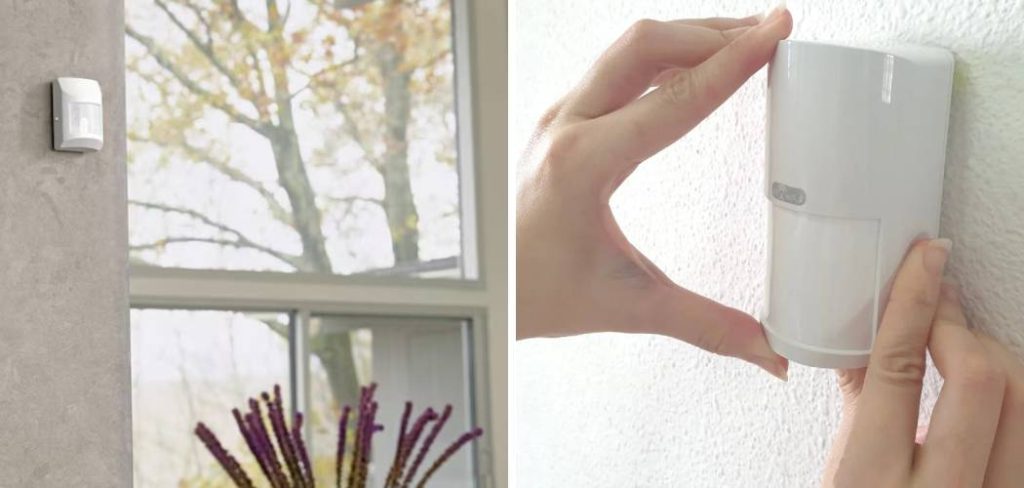
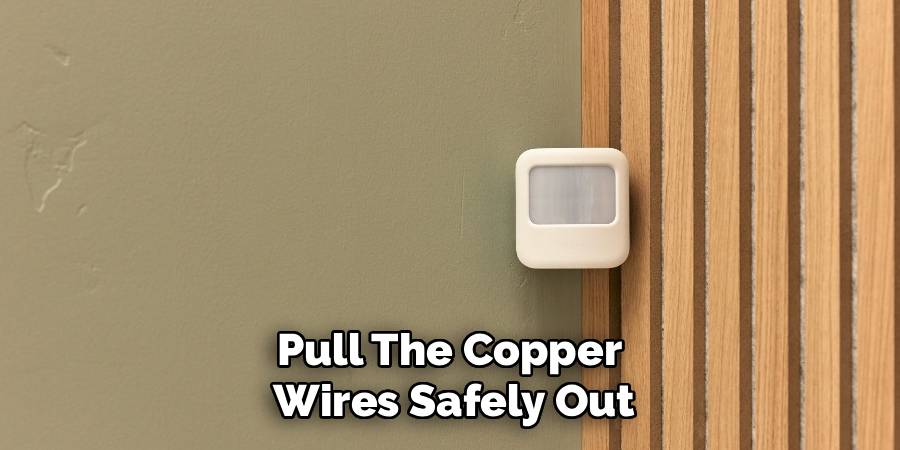
Start by looking closely at the motion sensor. Most ADT motion sensors are white plastic devices mounted high on a wall or in a room corner. They may have a small lens on the front and a seam where the cover meets the base.
Check whether the sensor appears to be attached with screws, adhesive, or a mounting bracket. If you can see small screw holes on the front or bottom, it may have a removable cover hiding the mounting screws. If there are no visible screws, the unit may snap onto a backplate.
Also consider whether the sensor is wireless or wired. A wireless sensor usually has a battery inside, while a wired unit may have low-voltage wires running through the wall.
Step 2: Disarm The System Or Use Test Mode
Before touching the sensor, disarm your security system. If your system is monitored, contact ADT or use your account tools to place the system in test mode if available. This helps prevent false alarms while you work.
Do not skip this step, even if you think the sensor is inactive. Many motion sensors have tamper switches that send an alert when the cover is opened or the device is removed from its base. If you searched for how to remove adt motion sensor from wall because you are moving or replacing equipment, system preparation is the first real safety step.Wait until you are sure the system is not armed before opening the sensor housing.
Step 3: Gather The Right Tools
You do not need a large toolbox for most sensor removals, but having the right items nearby makes the job easier. A small Phillips screwdriver is often needed for cover screws or backplate screws. A flathead screwdriver or plastic pry tool can help release a snap-on cover.
You may also need a utility knife, painter’s tape, adhesive remover, a putty knife, a soft cloth, wall patch compound, and touch-up paint. If the sensor is wired, a voltage tester can help confirm that you are dealing with low-voltage wiring and not an unsafe electrical source. Work slowly and keep small screws in a cup or tray so they do not get lost.
Step 4: Inspect The Sensor Cover
Look for a small screw, tab, slot, or release point on the sensor cover. Some covers have a screw at the bottom. Others have small plastic clips that hold the front cover to the backplate. The release point may be subtle, so use a flashlight if needed.
Do not force the cover open. If it does not move, there may be a hidden screw or locking tab. Forcing the plastic can crack the housing or snap the clips, making the sensor harder to reinstall later.
If you are unsure, gently press along the edges to feel where the cover separates. A plastic pry tool is safer than a metal screwdriver because it is less likely to leave marks.

Step 5: Open The Housing Carefully
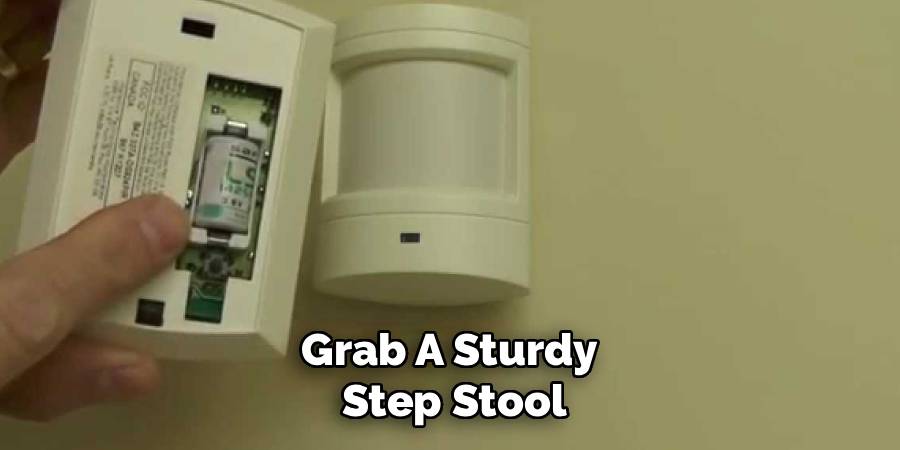
Once you find the release point, open the sensor housing with light pressure. If there is a screw, remove it first, then lift or slide the cover away from the base. If the cover clips on, use a slow rocking motion rather than a sharp pull.
Be ready for the system to detect a tamper condition, even if it is disarmed. This is another reason test mode is useful. When people learn how to remove adt motion sensor from wall, they often focus on the wall mount and forget that opening the cover can be enough to alert the panel.
Set the cover aside in a safe place. Avoid touching the lens or circuit board more than necessary.
Step 6: Disconnect The Battery Or Wiring
If the sensor is wireless, locate the battery inside the housing. Remove the battery carefully and note its position if you plan to reuse the sensor. Some sensors use AA batteries, while others use lithium batteries or a battery pack.
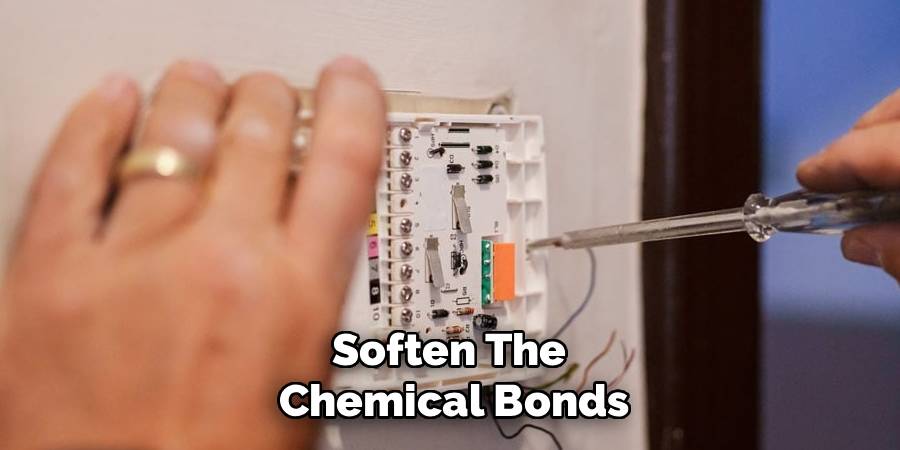
If the sensor is wired, look for low-voltage wires connected to terminals. Take a photo before disconnecting anything, especially if you may reinstall the unit later. Loosen terminal screws gently and separate the wires without pulling hard from the wall.
Do not cut wires unless you are certain the sensor will not be reused and you understand the system wiring. If the wires are part of a monitored alarm system, ask ADT or a qualified technician before making permanent changes.
Step 7: Remove The Mounting Plate Or Adhesive
With the cover and power source handled, remove the base or mounting plate. If it is screwed into the wall, back out the screws slowly while supporting the sensor base with your other hand. This prevents the plate from dropping or tearing the wall surface.
If adhesive holds the sensor in place, do not yank it straight off. Warm the adhesive slightly with a hair dryer on a low setting, then work a plastic putty knife behind the base. Move slowly to reduce paint damage.
For stubborn adhesive strips, use a gentle sawing motion with dental floss or fishing line behind the mount. This can separate the adhesive from the wall without bending the sensor base.
Step 8: Patch And Clean The Wall Area
After the sensor is off the wall, inspect the area. You may see screw holes, adhesive residue, dust outlines, chipped paint, or small dents. Remove leftover adhesive with a soft cloth and a wall-safe adhesive remover. Test the remover in a small hidden spot first to avoid damaging the finish.
For screw holes, apply a small amount of lightweight spackle or patch compound. Smooth it with a putty knife and let it dry fully. Sand lightly, then apply matching touch-up paint if needed.
If wires remain in the wall, do not push bare ends into the opening without protection. Cap or secure them properly, or contact a technician if you are unsure what they connect to.
Frequently Asked Questions
Will Removing The Sensor Trigger An Alarm?
It can trigger a tamper alert if the system is armed, monitored, or not placed in test mode. Even opening the sensor cover may send a signal to the control panel. To avoid problems, disarm the system first and contact ADT if your account is monitored. Test mode is often the safest option before handling any alarm device.
Can I Remove An ADT Motion Sensor Myself?
Many wireless motion sensors can be removed by a careful homeowner, especially if they are mounted with screws or adhesive. Wired sensors require more caution because the wiring may connect to a larger alarm circuit. If you are not sure whether the device is wired, monitored, or leased, contact ADT before removing it.
What If The Sensor Is Stuck To The Wall?
If adhesive is holding the sensor, avoid pulling hard because that can rip paint or drywall paper. Warm the adhesive with a hair dryer on low heat, then use a plastic putty knife, dental floss, or fishing line to loosen it gradually. After removal, clean residue gently with a wall-safe adhesive remover.
Do I Need To Return The Sensor To ADT?
It depends on your service agreement, equipment ownership, and account status. Some customers own their equipment, while others may have leased or financed devices. Before throwing away or reusing a sensor, check your ADT agreement or contact customer support. This is especially important when canceling service, moving, or changing system packages.
Can I Reuse The Motion Sensor Later?
You may be able to reuse the sensor if it is not damaged and is compatible with the same alarm system or panel. Keep the cover, screws, mounting plate, and battery if they are still in good condition. If the sensor was removed from an active ADT setup, it may need to be re-enrolled or configured by a technician.
Conclusion
Removing an ADT motion sensor is usually manageable when you slow down and follow the right order. First, identify the sensor and mounting style. Next, disarm the system or use test mode. Then open the housing carefully, remove the battery or wiring, detach the mounting plate, and repair the wall surface.
Now that you know how to remove adt motion sensor from wall, start by checking whether your sensor is wired or wireless and whether your system is monitored. If anything looks unfamiliar or connected to active alarm wiring, pause and contact ADT or a qualified technician before continuing.

About
Alexis Kerr is a distinguished figure in the world of professional workspace optimization, with a decade of expertise creating innovative and ergonomic office environments. Her professional focus lies in merging organizational psychology with modern spatial design, fostering office setups that are both high-performing and employee-centric. As the lead author for Deskvity, Alexis Kerr delves into the art and science of corporate aesthetics and functionality, inspiring office managers and remote professionals alike.
Education Cornell University
(Ithaca, New York) Bachelor of Science in Design and Environmental Analysis Focus on human factors, workplace strategy, and sustainable interior environments. Gained extensive experience in how physical space influences productivity and mental clarity.
Savannah College of Art and Design (SCAD)
(Savannah, Georgia) Master of Fine Arts in Interior Design Specialized in commercial workspace solutions with a focus on blending digital integration with physical comfort. Participated in high-level industry projects to refine the balance between corporate branding and architectural utility.
Publications and Impact
In Deskvity, Alexis Kerr shares her insights on modern workspace trends, acoustic management, and strategies for efficient layout planning. Her writing bridges the gap between high-level architectural theory and practical day-to-day office needs, making it a must-read for both facility directors and individual professionals looking to elevate their work environment.