

Let’s be honest—nothing can derail your morning quite like the sight of an overcrowded, chaotic desk. That jumble of receipts, charging cables, and forgotten sticky notes? It doesn’t just look messy—it’s a silent saboteur for your concentration. And if your workspace feels overwhelming before you even start, the rest of the day rarely fares much better. It turns out, a little organization isn’t just about appearances. Structuring your desk space can sharpen your attention, ease back and neck tension, and—most days—make work feel just a bit less punishing.

There’s something to be said for taking a few intentional minutes at the start. That simple act—stepping back, rethinking your layout—can surprisingly reshape the way you move through your tasks. Even skeptics may find that their thinking clears (if only slightly) once those unnecessary piles are out of the way. In this guide on how to arrange office desk, we will cover everything from creating a clutter-free workspace to incorporating natural elements for a more relaxing and productive environment.
Assess Your Workspace Needs
Pause before shuffling a single stapler. Ask yourself—what do you really need at hand to do your best work? The setup for a designer won’t look much like what a data analyst might employ. Try jotting down—yes, actually writing—a quick inventory. Which tools do you put your hands on, without fail, every single day? Maybe it’s your laptop and a battered notebook, or a stylus, or perhaps you simply can’t function without that second monitor.
Then, look at the stuff you don’t reach for regularly. Those tools aren’t “useless,” but they don’t deserve prime real estate on your desk’s front lines. Work out a hierarchy: what’s indispensable, what’s occasional, and what’s just… random detritus. Being candid at this stage can help you avoid letting non-essentials crowd your workspace—something nearly everyone is guilty of, no matter how strong-willed they claim to be.
7 Simple Step-by-step Guidelines on How to Arrange Office Desk
Step 1: Clear Everything Off and Clean the Surface
Brace yourself—this is the hard part. Strip everything off your desk. Absolutely everything. Mugs, faded receipts, gadgets, even that “funny” calendar. Pile it all on the floor (or, if you’re feeling civilized, a side table). It feels unsettling, but that’s the point: seeing a bare desk forces you to reconsider what truly belongs. You might find it odd, but this awkward reset gives you a clearer lens for which items earn their keep.
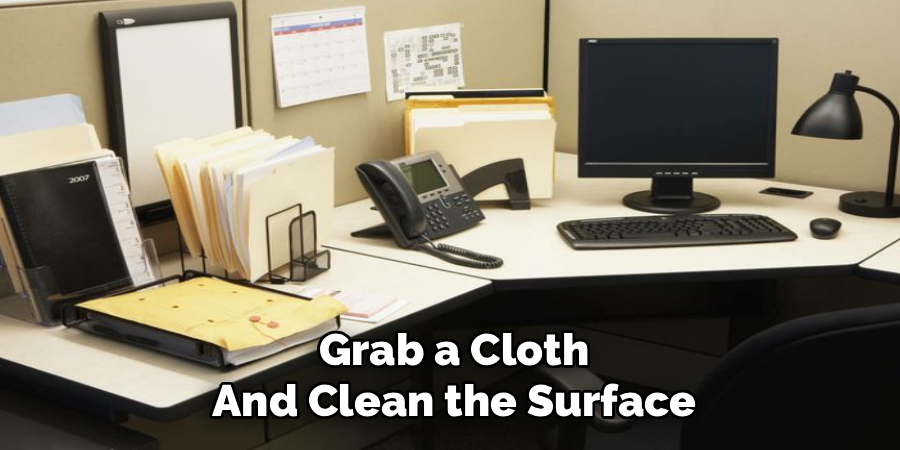
Once the dust has literally settled, grab a cloth and clean the surface. Not a quick swipe—get into the corners where crumbs and grime inevitably gather. Oddly enough, the simple act of wiping things down often signals, for many, the start of a more intentional routine. You might find yourself strangely motivated to keep things tidy… at least for a while.
Step 2: Position Your Monitor for Proper Ergonomics
The monitor. It’s more than just “where you look.” The angle and height directly shape how your shoulders and neck will feel by day’s end. Aim to have the screen centered, one arm’s length away. The top edge should just about match your gaze—or run a touch beneath.
Anyone juggling two monitors faces a dilemma. If one’s primary, keep it front and center. The secondary can be angled just off to the side. But—if you’re switching between them all day—split the difference, centering the spot where both screens meet right in front of you. This isn’t a luxury: bad placement can make your neck ache for days. Monitor arms are helpful, and yes, stacking a couple of old books counts if you’re not ready to splurge.
Step 3: Place Your Keyboard and Mouse in the Primary Zone
Think of the space directly in front of you (shoulders relaxed, elbows at your sides) as sacred. This is for the devices you constantly use: your keyboard, mouse, maybe a graphic tablet if that’s your thing. You want to avoid reaching too far, which can gradually wreck your shoulders and upper back.
Keep your mouse tucked close to your keyboard—don’t let it wander. A wrist rest can be useful if you’re prone to sore wrists, though not everyone finds these comfortable. The guiding question: Does every movement from your main work position feel natural, or do you have to stretch and strain just to get things done?
Step 4: Organize Essential Supplies in the Secondary Reach Zone
Now, turn your attention to the “secondary” zone—what you can reach without standing or hunching awkwardly. It’s the perfect home for reference books, a planner, or maybe your phone (if you must). Give these nearly-essential-but-not-constant items a home, perhaps a small tray or a handy drawer. If you let things drift, soon your main work zone will quietly fill up with clutter again.

Group supplies by task. If you’re right-handed, keeping your pens and notepad nearby (on the proper side) may prevent those weird, uncomfortable mid-meeting scrambles. This is one of those details that seems insignificant until you fix it—then, you wonder why it took so long.
Step 5: Manage and Conceal Your Cables
It’s almost a running joke: a handful of devices, and suddenly your desk bristles with cables. Nothing can make a workspace look unruly faster. If your setup spawns new cords every year, now’s the time to address it. Start from the beginning—unplug and reroute everything so cords run behind, not across, the desk.
A few zip ties or Velcro straps can tame the wildest rats’ nest. Stash power strips under-desk, if possible, and grab a few adhesive clips for keeping chargers handy but discreet. Usually, when the mess vanishes from your direct line of sight, you’ll notice an unexpected boost: a clear desk feels mentally quieter.
Step 6: Create a Filing System for Physical Documents
Hard copies still haunt most work environments, despite all those promises about a “paperless” future. Unless you’re the rare exception, papers encroach slowly—an envelope here, a handout there. Assign them a spot: an upright sorter or a basic tray works wonders.
Set a policy for yourself. Decide how long each paper can stay out—a week for temporary notes, maybe the month’s end for invoices. Get in the habit of immediate triage: either deal with it now, file it properly, or feed it to the shredder. Small piles balloon into major messes before you know it.
Step 7: Add a Minimalist Personal Touch
Here’s where you can breathe some life into your workspace. But tread carefully. A photo, a little plant, maybe a stone you picked up on vacation—one or two thoughtful objects give your desk warmth and individuality. They’re also brief visual breaks when you need to mentally step back.
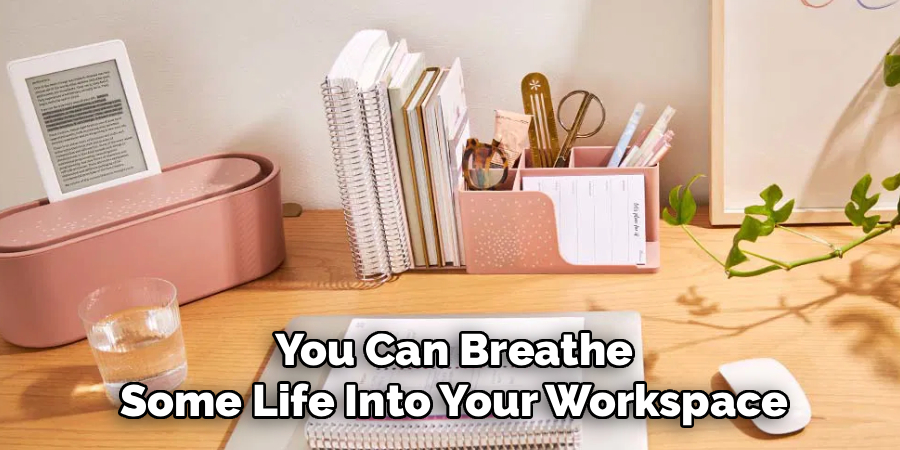
But with personalization comes excess. That’s the trap. Too many “special” items and soon you’re back where you started, foraging for an open patch of desktop. Practice restraint. Pick things you actually notice (and maybe even enjoy). The rest? Save them for a different surface.
Following these steps on how to arrange office desk will not only help you create an organized and efficient workspace, but also a visually appealing one. Here are some additional tips to keep in mind for maintaining a well-arranged desk:
Daily and Weekly Maintenance
Here’s a secret: organizing your desk once is easy. Keeping it that way is the challenge. At the end of the day, steal three minutes—no more—to clear coffee cups, corral rogue pens, and throw out the snack wrappers lurking behind the monitor. It’s barely a routine, and yet it sets the tone for tomorrow.
Then, every week, do a mini-reset. Wipe your equipment, check for paperwork hiding in plain sight, and toss anything that no longer serves a purpose. If you make this a ritual, you’ll rarely lose control of your space. The biggest impact isn’t visual—it’s knowing, each Monday, the workspace is ready for whatever’s coming.
Common Mistakes to Avoid
People use their desks as storage platters all the time, pushing aside today’s tasks for a box of printer paper or twelve unopened packs of sticky notes. Don’t. That clutter eats up the only real estate that matters.
Ignoring ergonomics doesn’t help; a stylish, stiff-backed chair quickly loses its allure when your back starts to ache. And whatever you do, resist the urge to eat where you work. The crumbs, the spills—they’re more than just a nuisance. They’re hazardous for both your gear and your (sometimes hidden) sense of pride.
How Much Will It Cost?
In theory, reorganizing could cost nothing at all. Shuffle your current supplies, and you’re done. If you’re upgrading, though, the price tag is all over the map. Basic containers—pen cups, cable ties, file trays—rarely run more than thirty dollars.
But ergonomic toys (a well-designed monitor arm, a keyboard tray worth its salt, or, if you’re feeling ambitious, a whole new desk) sit in the $100 to $500 range, sometimes more. Only you know what’s worth it; spend on comfort and daily use rather than aesthetic flourishes, if you’re picking sides.
Frequently Asked Questions
Q1: How Do I Organize A Very Small Office Desk?
Small desks are unforgiving. Ruthless prioritization is required. Only essential items—computer, keyboard, mouse—deserve desk space. Everything else migrates upward to shelves or downward to rolling carts. If possible, mount the monitor on an arm to open up precious real estate underneath. Flexibility makes all the difference in these situations.
Q2: What Is The Best Position For A Desk In A Home Office?
If you can, place your desk so you’re looking at (or at least toward) the door. It gives an odd sense of control—a psychological advantage few will acknowledge until they try it. Alternatively, pivot the desk perpendicular to a window; that way, you catch daylight without having the sun glare off your screen and into your eyes.
Q3: Why Is Ergonomics So Important For Desk Arrangement?
The word “ergonomics” gets thrown around, but ignore it at your peril. A poorly arranged desk leads to subtle, creeping pains—repetitive stress, headaches, and backaches that don’t disappear easily. Proper alignment of your chair, monitor, and keyboard doesn’t guarantee comfort, but it certainly stacks the odds in your favor. Do it for your future self, if not for now.
Conclusion
You might be surprised—the desk itself becomes a partner in your productivity, not just a silent backdrop. Working at a tidy, intentional workspace can dial down stress, help you focus, and perhaps even inspire a bit of pride. None of this is permanent. Expect to tweak your setup, sometimes daily, as projects and priorities shift. That’s natural.
Start with the simple act of clearing your surface. Give yourself a fresh canvas. The moment you get used to the stability and clarity that comes from even a modest dose of order, you may wonder how you managed to work surrounded by chaos for so long. Thanks for reading this guide on how to arrange office desk.

About
Alexis Kerr is a distinguished figure in the world of professional workspace optimization, with a decade of expertise creating innovative and ergonomic office environments. Her professional focus lies in merging organizational psychology with modern spatial design, fostering office setups that are both high-performing and employee-centric. As the lead author for Deskvity, Alexis Kerr delves into the art and science of corporate aesthetics and functionality, inspiring office managers and remote professionals alike.
Education Cornell University
(Ithaca, New York) Bachelor of Science in Design and Environmental Analysis Focus on human factors, workplace strategy, and sustainable interior environments. Gained extensive experience in how physical space influences productivity and mental clarity.
Savannah College of Art and Design (SCAD)
(Savannah, Georgia) Master of Fine Arts in Interior Design Specialized in commercial workspace solutions with a focus on blending digital integration with physical comfort. Participated in high-level industry projects to refine the balance between corporate branding and architectural utility.
Publications and Impact
In Deskvity, Alexis Kerr shares her insights on modern workspace trends, acoustic management, and strategies for efficient layout planning. Her writing bridges the gap between high-level architectural theory and practical day-to-day office needs, making it a must-read for both facility directors and individual professionals looking to elevate their work environment.