

If you spend a good chunk of your week marooned at a desk, the wrong chair setup can quietly unravel your posture and, in time, your comfort. It’s odd how easy it is to accept the dull ache in your back or those tight shoulders as inevitable—a tax on office life. With a little know-how, though, many of these everyday complaints can be avoided, or at least dialed down. Getting the backrest of your chair sorted, in particular, might offer more relief than you’d think.

Let’s be honest: not all chair parts pull their weight. The backrest, though, has a fairly tough and thankless job. It’s responsible for encouraging that subtle curve in your lower spine—yes, the one nearly every doctor seems fixated on. It keeps most of your upper body from slumping forward as the day drags on, quietly working to stave off the slow creep of slouching.
Take a few minutes to really tweak your backrest, adjusting it for your particular build, and you may wonder how you ever tolerated your previous ‘normal’. In this guide on how to adjust office chair backrest, we’ll show you the importance of a properly positioned backrest and how to make adjustments for maximum support.
Understanding the Features on Your Office Chair’s Backrest
The world of ergonomic seating is, frankly, a bit of a labyrinth. Chairs come festooned with various features, but lumbar support tends to take center stage. Whether yours offers a set-in-place curve or an adjust-it-yourself lumbar cushion, getting familiar with this feature is worth your time. Some chairs provide simple, unyielding support, while others—typically the pricier ones—let you nudge the support up, down, further out, or closer in. Even the most basic lumbar adjustment can make a surprisingly big difference.
Then there’s the whole backrest tilt and recline business. A truly adjustable chair allows the back to pivot, giving your spine a brief vacation from the grind. The tilt tension controller, if your model has one, is another layer of customization: it dictates the amount of pushback you’ll encounter when you lean back. Personally, I find it’s not always obvious how all these pieces fit together, and the manufacturer’s manual—with its cryptic diagrams—is more help here than one might expect.
Why Fiddle With the Backrest at All?
Those who fine-tune their backrest usually don’t go back to their old ways. When you get it right—when the shape of the backrest matches your spine—you might notice a subtle but meaningful reduction in tension at the end of the day. It’s not a cure-all, of course, but less strain on your lower back and neck never hurts. In fact, odds are you’ll get through your workload with more energy left in reserve.
There’s also the matter of attention span: it’s hard to focus deeply when your body is in distress, however minor. Persistent discomfort has a way of seeping into your concentration, clouding thought and sapping creativity. Once you’re settled into a well-adjusted chair, it becomes a lot easier to devote your full attention to actual work rather than your aching back.
How Do Chairs Let You Adjust the Backrest?
Chair manufacturers have imagined countless ways to make the backrest move. The most common? Levers tucked beneath the seat—usually somewhere on the right or left, occasionally both. These levers will control either the angle or the height of the backrest, but knowing which does what sometimes requires trial and error, or yes, consulting that dreaded manual.
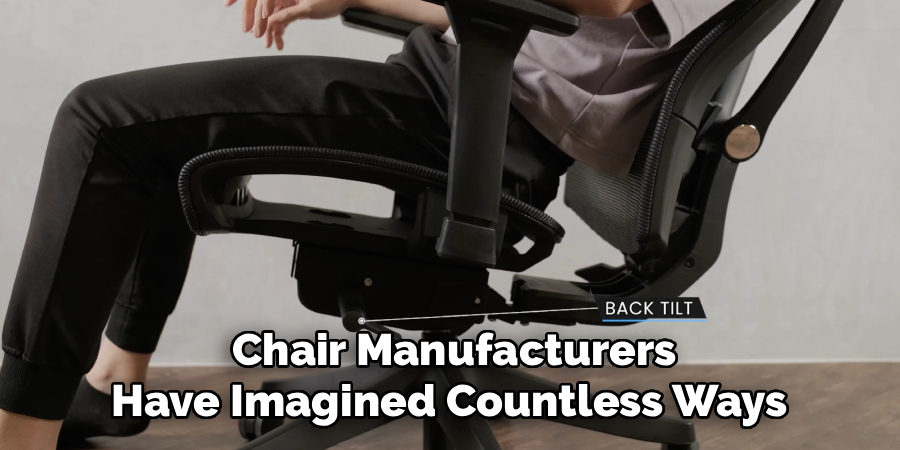
Then there’s the ratchet system. If you’ve ever clicked a backrest upwards, one notch at a time, only to have it drop suddenly to the bottom, you’ve encountered this mechanism. It’s generally reserved for adjusting how high or low the backrest sits. Another frequent sight is the rotary knob, which manages things like tilt tension or just how pronounced the lumbar curve feels—clockwise to tighten, counterclockwise to loosen. No need to overthink it, but it does pay to experiment.
Tools You Will Need
To properly adjust your office chair, you will need a few tools:
- Screwdriver (Phillips or flathead, depending on your chair)
- Pliers (optional, for some adjustments)
- Measuring tape (optional, for more precise adjustments)
These tools will come in handy when making adjustments to the different mechanisms of your office chair. They can easily be found at any hardware store and are not too expensive.
7 Steps on How to Adjust Office Chair Backrest
Step 1: Find a Neutral Sitting Position
Before you start fiddling with anything, scoot all the way back in your chair so your lower back is flush with the backrest. Feet flat, knees at about ninety degrees—pretty standard, but worth getting right. If your feet dangle, raise the chair or find a footrest.
Why the fuss? Adjustments should accommodate your natural posture, not how you sit when hunched over or sliding forward. Keep your shoulders easy, chest open, and head balanced above your spine. Now you’re ready to tackle the adjustments.
Step 2: Set Backrest Height
Hunt for whatever lets the backrest move up or down. If it’s the ratchet kind, pull it partway and listen (or feel) as it clicks. You’re aiming for the lumbar support to nestle right into that inward curve of your lower spine. Too high? It will dig into your upper back. Too low? The curve presses on your pelvis. Don’t be surprised if this takes a few passes to get right.

Step 3: Adjust Lumbar Support Depth
Some chairs have a knob for lumbar depth. If yours does, gradually rotate it until you feel—not a jab, not a gap, but just the smallest amount of pressure supporting that curve in your back. People with a pronounced arch may want a bit more firmness; flatter backs, less. If, after several minutes, you notice any sharp soreness, dial it back.
Step 4: Release the Tilt
Look for a lever (often under the left side). Pull or push it to unlock the tilt. Now, when you lean back, the whole backrest should move with you—no resistance, unless there’s another setting fighting your efforts.
“Active sitting” is the phrase ergonomists like to use: gentle movement keeps blood flowing and sidesteps stiffness. Locked, rigid postures, unsurprisingly, do the opposite.
Step 5: Set Tilt Tension
This is where the big round knob—usually under the chair, sometimes at the front—comes into play. Lean back and gauge how much force you need. If you feel about to topple backward, tighten the tension. If reclining requires all your strength, loosen it.
You’re searching for that sweet spot: recline feels natural and weightless, neither abrupt nor a struggle. It might take a few days, some trial and error, until your body tells you you’ve found the balance.
Step 6: Find the Right Angle
With tilt unlocked, find the angle you prefer for your actual work. For typing and computer tasks, many people do best with the backrest just slightly reclined—say, 100 to 110 degrees. Sounds precise, but in reality, you’ll know when your spine feels relief without your head jutting forward awkwardly.
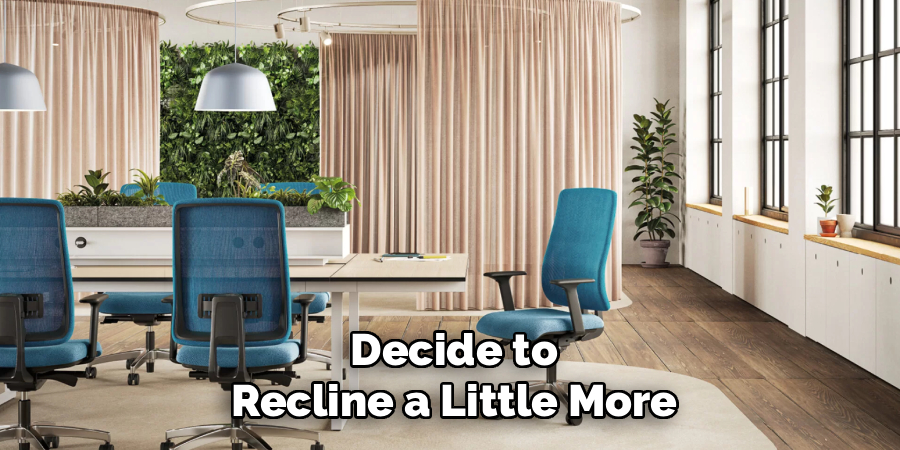
If your screen or documents aren’t at the right height, you’ll notice soon enough: neck craned, shoulders round, comfort vanishes. For phone calls or reading a paper, you might decide to recline a little more. It’s your call.
Step 7: Lock (or Don’t Lock) in Place
Once you settle on the angle that feels best, hold steady and re-engage the tilt lock if a stationary seat is your preference. Listen for a faint click. Press back, see if anything moves—it shouldn’t.
Some argue you should always leave the tilt unlocked to keep your spine in gentle motion. Others crave stillness for tasks that demand laser focus. It’s personal. Switching it up throughout the day may strike the right balance: engaged for tricky work, free to recline for breaks.
Following these steps on how to adjust office chair backrest will ensure that you have a comfortable and supportive posture while working. Remember to listen to your body and adjust accordingly, as everyone’s needs may differ.
A Few Extra Thoughts
If you switch to new shoes (especially from flats to heels), take a minute to reassess your chair. It sounds minor, but these changes can affect your hip and back alignment.
Try to stand, stretch, or walk briefly every hour—your back will quietly thank you. And dust those moving chair parts every few months; nothing gums up levers and ratchets faster than lint and crumbs.
Common Pitfalls
The biggest blunder? Copying someone else’s settings. Your coworker’s lumbar curve is almost certainly not your ideal. Another classic mistake: setting that lumbar bump far too high, which usually just shoves you away from the backrest.
Also, skip locking your chair at a straight 90 degrees; it’s a recipe for lower back strain.
Should You Bring in a Pro?
For everyday office and home chairs, there’s probably no need to shell out for an ergonomic consultant, provided you’ve got the manufacturer’s instructions and a little patience. If, though, you’ve got chronic back pain or structural injuries, a session with an occupational therapist could make a real difference.
These specialists offer hands-on assessments—and sometimes point you to equipment options you won’t find at your local office supply chain.
Chair Upkeep
Give the chair’s mechanics the occasional once-over with a dry microfiber cloth: dust builds up quickly under there. If a lever starts sticking, try a very small amount of lubricant. Don’t muscle a jammed knob; parts inside aren’t made to withstand brute force.
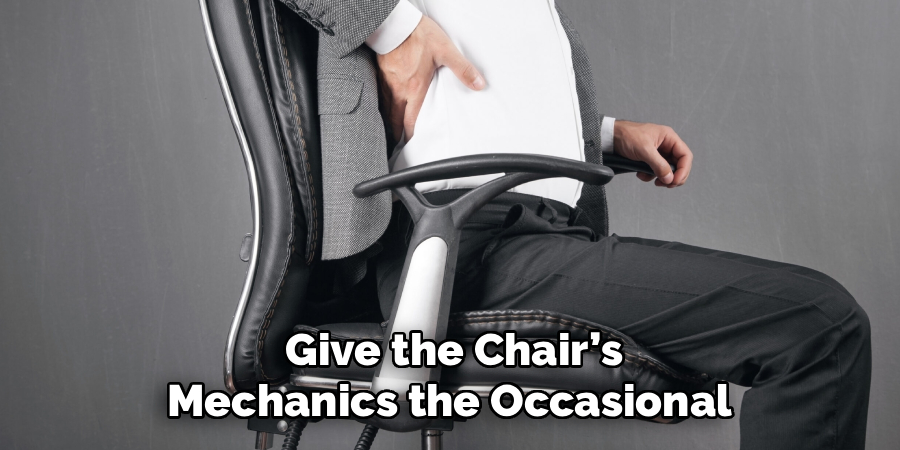
And every so often, check that the screws fastening the backrest remain snug—a loose joint can sabotage everything else.
Frequently Asked Questions
Q1: How Do I Know If My Lumbar Support Is In The Right Place?
It should seem as though the chair was made for you. The lumbar support will rest in the deepest hollow of your back, feeling like a gentle extension of your body, not a wedge or a lump. If you’re shifting or slumping, something’s off—check the height.
Q2: Why Does My Back Hurt Even After Adjusting The Chair?
That ache might indicate the problem lies elsewhere. Your desk could be too high or low, or your monitor poorly placed. And then there’s habit—many of us slip back into a slouch without noticing. Remember to get up, stretch, and reset your posture now and then; no chair will save you from hours of stillness.
Q3: Should I Leave The Chair Tilt Locked Or Unlocked?
Some research suggests “active sitting” is worth the effort—leaving the tilt unlocked stimulates circulation and diminishes stiffness. That said, if a locked tilt simply feels better for focused work, there’s nothing wrong with it. Switching between the two as your tasks change seems, at least to me, like a sensible compromise.
Conclusion
Dialing in your chair is less about chasing ergonomic perfection and more about listening to what your body tells you. Subtle tweaks—adjusting here, loosening there—often matter more than a one-time overhaul. Try not to think of it as something you set and forget. Conditions change: your posture, your shoes, even your mood on a given day.
Stay attentive, and reward your efforts with breaks, stretches, and (occasionally) a good long walk. Over time, you’ll notice something remarkable: comfort, sustained attention, and a workday that feels just a little bit less punishing. Thanks for reading this guide on how to adjust office chair backrest.

About
Alexis Kerr is a distinguished figure in the world of professional workspace optimization, with a decade of expertise creating innovative and ergonomic office environments. Her professional focus lies in merging organizational psychology with modern spatial design, fostering office setups that are both high-performing and employee-centric. As the lead author for Deskvity, Alexis Kerr delves into the art and science of corporate aesthetics and functionality, inspiring office managers and remote professionals alike.
Education Cornell University
(Ithaca, New York) Bachelor of Science in Design and Environmental Analysis Focus on human factors, workplace strategy, and sustainable interior environments. Gained extensive experience in how physical space influences productivity and mental clarity.
Savannah College of Art and Design (SCAD)
(Savannah, Georgia) Master of Fine Arts in Interior Design Specialized in commercial workspace solutions with a focus on blending digital integration with physical comfort. Participated in high-level industry projects to refine the balance between corporate branding and architectural utility.
Publications and Impact
In Deskvity, Alexis Kerr shares her insights on modern workspace trends, acoustic management, and strategies for efficient layout planning. Her writing bridges the gap between high-level architectural theory and practical day-to-day office needs, making it a must-read for both facility directors and individual professionals looking to elevate their work environment.