

Walk into any office where papers crowd every surface—what happens? If you’re like most people, your mood sours and your motivation dips before you’ve even settled in. That hunt for just one missing file? Frustrating, almost always time-consuming, and usually avoidable.
Some might argue that an orderly filing system is hardly glamorous work, but the impact is immediate. With a system that actually fits your workflow, files aren’t lost under coffee mugs. Finding what you want takes seconds, not hours. There’s a certain relief in knowing your important documents aren’t at risk of vanishing into the chaos, too. In this guide on how to organize office files, we’ll lay out some tips to help you gain control over your paper and digital documents.

Assess Your Current Filing System
Truth be told, there’s little point in diving into a reorganization frenzy unless you understand what’s already there—and what isn’t making sense. Pause. Before shifting a single folder, stand back and ask: which parts of my current setup help me, and which create headaches? Maybe that vendor folder you set up two years ago now bulges while another, labelled “Quarterly Reviews,” is all but empty. Noticing these quirks tells you a lot about how your office functions versus how you wish it would.
When you finally gather the scatter of loose forms, battered folders, and dust-coated storage boxes from desk drawers and shelves, the scale of paperwork becomes—well, hard to ignore. Go through the stack carefully. Divide what needs immediate access from documents better left in archives or destined for the shredder. This process, clumsy as it may feel, lays bare the true categories your future system requires.
Choose a Filing Method
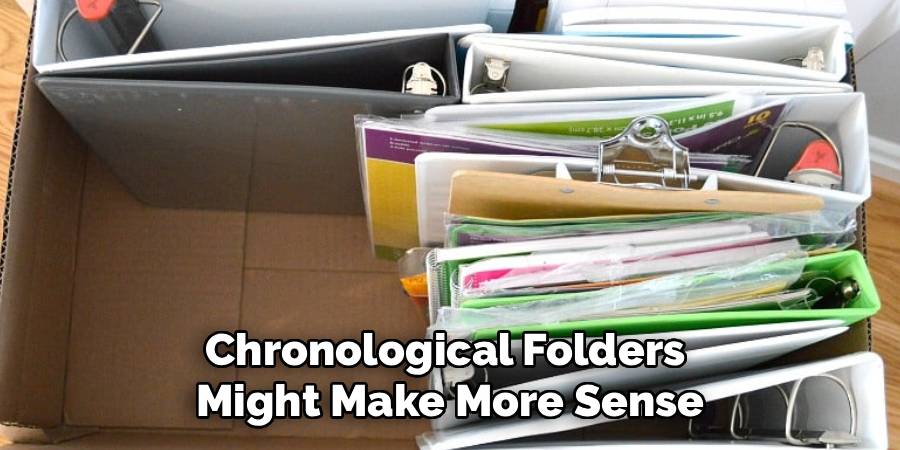
So, what’s the right way to file? Unsurprisingly, the answer isn’t one-size-fits-all. Sorting alphabetically is straightforward and almost anyone can pick it up without fuss. This approach eases client file retrieval or gets you through vendor lists without confusion. And yet, for businesses mired in event timelines or sequential deadlines, chronological folders might make more sense—it really depends on your daily reality.
Some organizations gravitate towards subject-based or departmental systems: think Human Resources, Finance, or Marketing. If you’re the type who likes a blend, start with broad topics and then slot in alphabetical folders for subcategories. It’s worth hashing out this decision with colleagues instead of guessing at what should work—chances are, someone on your team notices obstacles you’ve grown accustomed to ignoring.
7 Simple Step-By-Step Guidelines on How to Organize Office Files
Step 1: Purge Unnecessary Documents
Here’s the hard part: letting go. Endless piles of paper will overwhelm even the most robust file cabinets (not to mention your patience). Go through each document and ask yourself, “Will I realistically need this again?” Err on the side of caution with legal contracts or anything tax-related—check regional requirements before tossing sensitive records.
As you whittle down the pile, separate anything bound for shredding, especially if it includes confidential data. Recycle what you can. Clearing the backlog isn’t glamorous, but as soon as there’s space, the rest of the process feels much less daunting.
Step 2: Establish Clear Categories
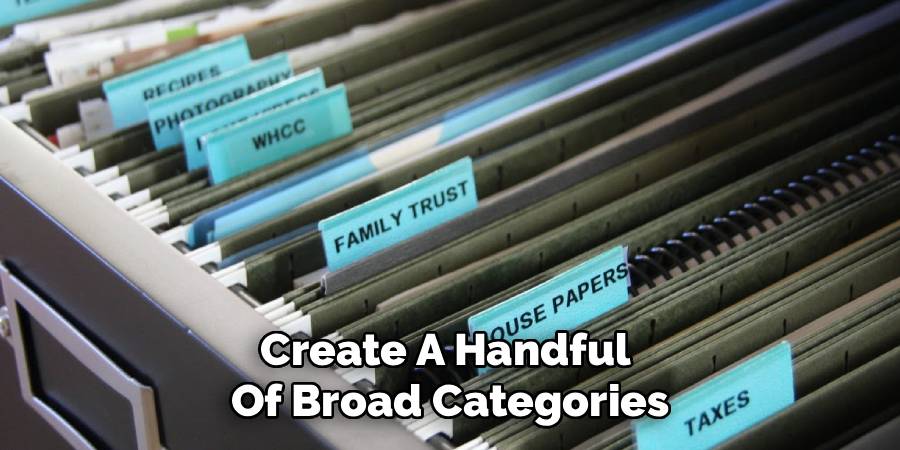
Think back to the documents you kept. It’s tempting to chuck them all into catchall folders, but that’s exactly how things become untraceable. Create a handful of broad categories: Operations, Financial, Client Files, Personnel—whatever reflects the nature of your business. These become anchor points in your cabinets.
Within those broader slots, break files down further. Under Finance, maybe you need “Accounts Payable” and “Tax Documents.” Sketch this structure in an index that’s easy for everyone to reference. Otherwise, even the tidiest system risks crumbling as soon as you’re out sick.
Step 3: Invest in Quality Supplies
No filing miracle happens with battered drawers and sagging folders. If your cabinets jam or your labels peel off after a week, consider them candidates for replacement. Decent hardware saves you time and, ultimately, a fair bit of aggravation.
Color coding can be surprisingly effective: blue for clients, green for finances, perhaps yellow for anything personnel related. This isn’t about making the office look pretty; it’s about making out-of-place files jump out at a glance so you spend less time rummaging.
Step 4: Implement a Standardized Naming Convention
Clarity is your ally in any shared filing system. Whether you’re labeling folders with “Last Name, First Name” or full company titles, consistency matters more than the specific choice. Write your chosen standard into an office guide, and encourage everyone to stick to it.
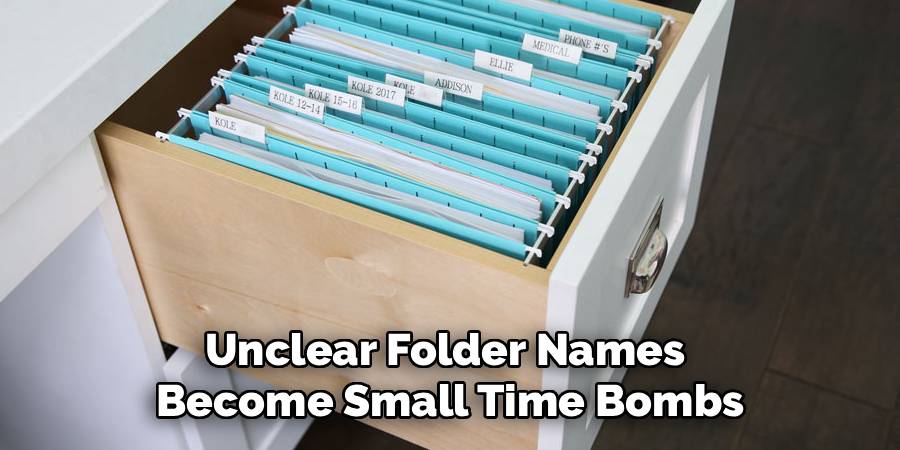
It’s tempting to use abbreviations, especially in a hurry. Resist that shortcut. Unclear folder names become small time bombs for the next person who needs the file, especially if you’re away. Aim for descriptions that spell things out simply and precisely.
Step 5: Set Up an Action File System
There’s always a batch of paperwork hovering between “just arrived” and “filed for eternity.” Papers in limbo slow you down. Some people swear by a standing folder on their desk with clear sections for urgent reviews, signatures, or payments due.
When you finish handling a paper, don’t let it linger. Move it into the main cabinet (or out of the office, if done). Restrict this “action” area to genuinely active files; otherwise, it will mutate into another forgotten pile.
Step 6: Create an Archiving Protocol
Eventually, even the most relevant paperwork outlives daily usefulness. Files age, but that doesn’t mean they should clog prime real estate. Schedule a regular interval—often year-end—to sweep through the cabinets and shift old files into archives.
Each archive box should have an unambiguous label, dated and detailed enough so anyone can understand what’s inside and when it’s eligible for destruction. Store them somewhere unobtrusive and dry. This keeps the essential working space tidy, the whole point of organizing in the first place.
Step 7: Schedule Regular Maintenance
File systems, like gardens or inboxes, don’t maintain themselves. Set aside a quarter hour at week’s end to catch up on loose paper or misplaced files. Neglecting this ritual, even briefly, invites clutter to creep back in.
Twice a year, revisit the whole filing system. Fix mislabels, retrieve lost documents, and review structure as your office evolves. Ask co-workers for feedback—sometimes, one person’s workaround highlights a flaw ready to be addressed. The process is ongoing, but the rewards compound over time.
Following these steps on how to organize office files can greatly improve efficiency and productivity in the workplace. In addition, having a well-organized filing system can also reduce stress and promote a sense of control over one’s work environment.

Tips for Small Offices or Home Offices
Space is an obstacle in smaller workplaces. Wall-mounted racks provide an easy way to keep frequently used files in reach without crowding the floor. Rolling cabinets tucked beneath a desk can also help manage day-to-day files discreetly.
When real estate is at a premium, scanning documents and moving them to a secure cloud drive may be the only practical solution. Invest in a good scanner and draw clear lines about what absolutely must stay in paper form—usually legal or certified originals, best kept in a fireproof safe.
Common Mistakes to Avoid
No filing system will work if no one knows how to use it. Training is critical, yet often skipped. Folders that bulge or become hard to sort through are a red flag; overstuffing makes it impossible to retrieve papers without damage.
And whatever you do, avoid the dreaded “Miscellaneous” folder—it quickly becomes a black hole for anything that defies easy categorization. Spend the extra minute making a proper label.
Benefits of an Organized Filing System
The tangible benefits of a good filing system, while sometimes overlooked, can make or break office morale. Time is rescued from the clutches of endless searches. Frustrations, both minor and major, subside as documents land in your hands just when you need them.
It also signals professionalism to visitors—and helps you sidestep panic when audit season rolls around. A well-ordered file cabinet isn’t about aesthetics; it’s about being ready for anything work throws at you.
Frequently Asked Questions
Q1: How Long Should I Keep Office Files Before Shredding Them?
There’s no universal answer, I’m afraid. Tax records and key financial documents often require retention for up to seven years; check your local rules to confirm specifics. Employee records typically stick around a few years past departure. Less critical paperwork, such as old correspondence, can usually be let go after a year. When in doubt, check with a legal or accounting professional.
Q2: Should I Organize My Files Alphabetically or by Category?
Here’s a matter of preference as much as utility. Alphabetical filing shines for lists of clients or vendors, while categories suit operational documents—marketing, payroll, HR, and so on. Some offices find balance in a hybrid, broad categories first and then order within each. The best advice: copy the way you naturally look for things.
Q3: How Can I Transition from Paper Files to a Digital System?
Take it one step at a time. Make a clean break with new paperwork by scanning everything as it arrives. Meanwhile, set aside time to convert crucial older documents. Mirror your physical folder structure in your digital storage, whether on a server or a secure online platform. Use optical character recognition (OCR) when you scan, so files remain searchable. And don’t forget a solid backup system—digital chaos can be just as stressful as physical clutter.
Conclusion
Ownership of your paperwork—however mundane it sounds—creates the conditions for a less frantic, more productive day. With thoughtful categories, regular upkeep, and rules that everyone can follow, the mountain of clutter loses its power.
Choose to organize deliberately now, and you’ll spare yourself countless hours lost to disarray in the future. Thanks for reading this guide on how to organize office files.
