

How many hours do you spend hunched over a desk each day? If you haven’t spared a thought for your sitting habits, you’re far from alone. Discomfort, nagging muscle fatigue, and the kind of dull joint pain that creeps up unnoticed—it’s astonishing how easily these problems sneak into daily life simply because most of us have never actually been taught how to sit well.
Paying attention to the way a workspace is set up isn’t merely a quirky act of self-care. It could be what stands between you and that familiar end-of-day ache that makes the commute home feel twice as long. Ergonomics might sound like the territory of workplace consultants, yet understanding a handful of principles can quietly transform your station from a daily source of tension into a place that actually helps, not hinders, your body. In this guide on how to sit in an office chair, we’ll share the important dos and don’ts to help you maintain good posture and prevent common aches and pains.
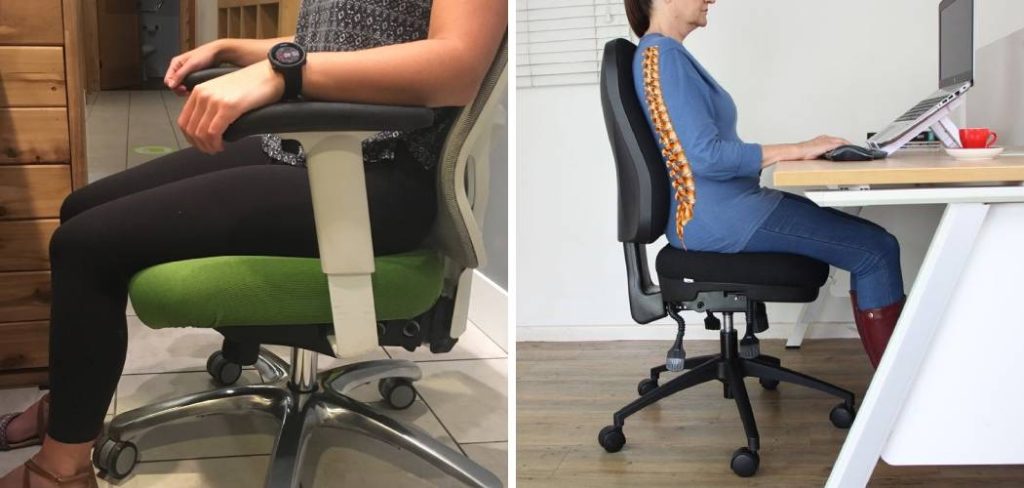
Why Proper Sitting Posture Matters?
Let’s be blunt: posture carries the weight of your workweek, literally and figuratively. Yet most people don’t realize the subtle but accumulating damage that can build up from hours of less-than-ideal sitting. Good posture facilitates an alignment of bones and joints that helps muscles do their job without straining unnecessarily. This isn’t just anatomical trivia; over time, misalignment accelerates joint wear, possibly inviting arthritis or relentless back pain later on.
It would be wishful thinking to say good posture guarantees you’ll never encounter discomfort, but evidence suggests that it eases the strain on ligaments that stabilize your spine. Many who mind their posture report not just fewer headaches or back spasms, but also a slight uptick in energy and concentration—nothing dramatic, but noticeable nonetheless. In the end, the real dividend might not be obvious until years from now, when the absence of spinal issues spares you both medical bills and the frustration of chronic pain.
Choose the Right Office Chair
A quality office chair isn’t about chasing luxury. If anything, it’s about finding something that can be tuned and tweaked until it feels almost invisible beneath you. Not every chair fits every person, so start with the basics: height, backrest angle, and an armrest setup that feels natural rather than forced.
Lumbar support—sometimes a little more than a subtle bump—should match the curve of your lower back. And pay attention to the seat itself: it should accommodate your thighs without cutting into the backs of your knees. If polyester upholstery makes you sweat by midday, consider a chair with mesh or breathable fabric instead. Oddly, perhaps the most overlooked point is whether a chair allows for subtle shifts in posture—a static seat can be as tiring as a poorly fitted one.
7 Simple Step-by-step Guidelines on How to Sit in an Office Chair
Step 1: Adjust Your Seat Height Appropriately
Getting the height right isn’t just about comfort; poor seat height is a silent saboteur. Here’s where hesitation pays dividends: before you sit, raise or lower the seat so the highest point lines up just below your kneecap. When you finally settle in, your knees should form an angle that looks, more or less, like the corner of a square.
If your feet hover above the ground, you’re too high—a common mistake with taller desks. If your knees end up higher than your hips, well, brace yourself for some lower back protests. The best height sometimes feels surprisingly “flat,” but it leaves your legs and spine in a position they won’t resent after an hour or two.
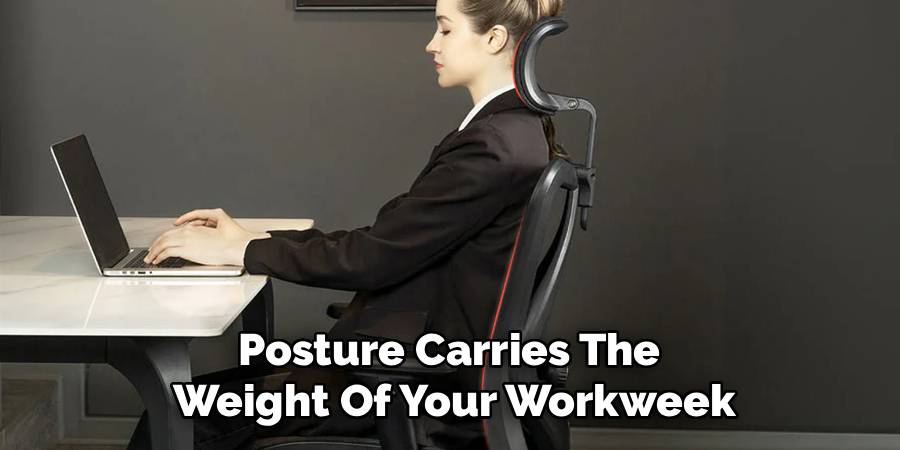
Step 2: Position Your Hips Far Back in the Chair
Perching at the front edge: it’s a habit countless people fall into, often without realizing the extra load it dumps on their poor back muscles. To counteract this, make an explicit effort to slide your hips all the way back until you meet the seat’s far edge, right where it meets the backrest. The difference is subtle but significant: your chair can finally do what it was designed for—carry your upper body’s weight.
Of course, not every seat suits every leg length. If the chair pinches the back of your calves or feels cavernous, don’t rule out using a lumbar pillow or back cushion to bridge the gap. Small tweaks can prevent big problems.
Step 3: Support Your Lower Back Curve
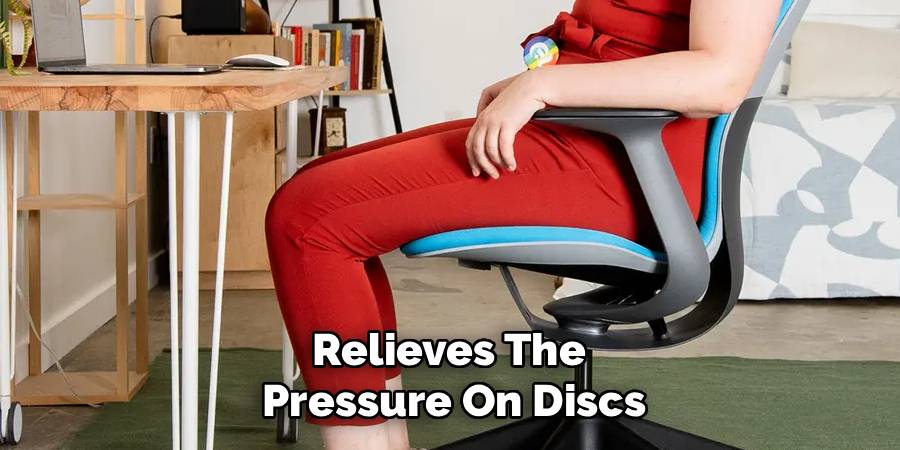
Take a moment to find that inward dip in your lower back; it’s there for a reason. Your lumbar curve can collapse without gentle support, so adjust the chair’s backrest (if possible) so it supports rather than flattens this curve. Sometimes the built-in support falls short—keep a spare cushion or even a rolled towel handy as a makeshift fix.
It may seem almost trivial, but well-placed support here relieves the pressure on discs and weary muscles in your lower back. The rest of your spine tends to fall into line, so to speak, once you address this foundation.
Step 4: Keep Your Feet Flat on the Floor
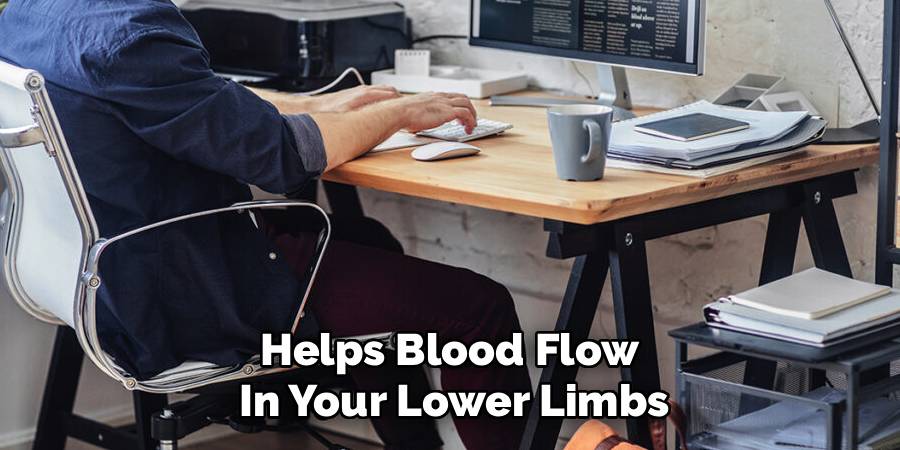
Think of your feet as anchors: plant them flat, roughly parallel, and you create a steady base. Resist the urge to cross at the knees or tuck an ankle beneath the chair—a seemingly innocent gesture that rotates your pelvis and can spell trouble for your lower back.
If you’re forced by desk height to raise your seat beyond what allows for flat feet, use a footrest; a basic wedge will do. This subtle elevation restores stability and helps blood flow in your lower limbs—a point worth caring about after a couple of hours.
Step 5: Position Your Screen Correctly
Screen placement gets shockingly little attention—until neck pain finally makes you notice. The monitor should sit dead ahead, not off to one side or perched at an odd angle. Try for about an arm’s length away, with the top of the display at or just below your natural line of sight.
Juggling dual monitors? Angle them inward so you don’t have to swing your head like a spectator at a tennis match. For laptop users, a stack of books or a cheap stand can bump up the screen height in a pinch.
Step 6: Relax Your Shoulders and Arms
It’s tempting to shrug your way through a workday, especially if desk and armrest heights aren’t quite dialed in. Drop your shoulders, then adjust the armrests so your elbows fall gently onto them, bent somewhere between 90 and 110 degrees.
If armrests insist on pushing your shoulders up toward your ears, you’re better off without them. Your keyboard and mouse should drift close to the edge of the desk. The idea is to reach without stretching, minimizing fatigue that settles in sooner than you’d expect.
Step 7: Keep Your Neck in a Neutral Position
Neck pain might seem inevitable, but much of it traces back to how you hold your head. Picture a string lifting you through your crown, straightening you, ears stacked above shoulders. Resist peering downward at a phone or hunched laptop; “tech neck,” as some call it, is more than just a clever phrase.
If you can, hook up your laptop to an external keyboard and monitor so you don’t have to make this compromise. Getting this right won’t make you invincible, but it seems to lower the risk of fatigue-induced headaches and radiating muscle tension.
Following these steps on how to sit in an office chair properly can help prevent discomfort and pain, but it’s also important to take regular breaks and move around throughout the day. Sitting for long periods of time can still have negative effects on your health, even if you are in the correct position.
Common Sitting Mistakes to Avoid
It’s surprisingly easy to fall into habits that torpedo good posture. Crossed legs? They tip the pelvis and starve muscles of proper circulation. Slouching toward the screen just to decipher tiny text? Your neck and lumbar spine bear the brunt.
Dangling feet or cradling a phone between the shoulder and ear—both are recipes for discomfort. Meanwhile, sitting perfectly still, no matter how correct your setup, can leave you stiff and sore by the afternoon.
Tips for Long Hours at a Desk
Perfect posture helps, but so does movement. Set a timer (mentally, if you must) to remind yourself to stand, walk, or stretch every half hour. If you have the option, switch occasionally to a standing desk—though don’t stand all day. Keep water nearby; not only is hydration good in itself, but those extra trips to refill your glass get you moving.
Small, low-effort stretches like neck rolls, shoulder shrugs, or twisting your torso in the chair can help keep joints lubricated and muscles relaxed.
Signs Your Sitting Posture Needs Improvement
Bodies aren’t shy about sending signals when something’s off. Does your head throb at the base of your skull? That might be poor head alignment. A dull ache in your lower back or a zinging pain down your leg could indicate a neglected lumbar curve or even nerve pinching.
Stiff hips after even brief meetings, shifting restlessly by midday—these are all subtle nudges to rethink your setup and habits.

Benefits of Sitting Correctly
The upside of all these small adjustments extends beyond just fewer aches. There’s real value in the way upright sitting lets your lungs expand, increasing oxygen intake—a possible, if modest, boost for focus. Your stomach thanks you, too; slumping crowds the digestive organs.
There’s some evidence—admittedly not overwhelming—that upright posture even tempers stress hormone release. Over the years, small efforts add up, helping you avoid frustrating physical setbacks that could limit your work and life more than you’d expect.
Frequently Asked Questions
Q1: How Often Should I Take Breaks From Sitting?
Most experts lean toward a break every 30 to 60 minutes. That doesn’t have to mean a full-blown stretch routine. Even a quick stroll across the room or standing up for a glass of water seems to help most people reset—even if only temporarily.
Q2: Are Standing Desks Better Than Office Chairs?
It depends. Standing desks have their advocates, but standing relentlessly can create knee and foot complaints of its own. The most realistic approach probably involves switching between sitting and standing, tuning both setups with as much care as possible.
Q3: Why Does My Lower Back Hurt When I Sit?
Chances are, your sitting posture (or unsupportive chair) is flattening your spine’s natural curve. Sometimes it’s as simple as your feet not resting flat or your seat back lacking lumbar support. Adjusting your position—back to the basics of height, depth, and support—often unclenches the pain.
Conclusion
Getting posture “right” isn’t about chasing some anatomical ideal; it’s about making small, sustainable tweaks that serve your unique body. Check your workspace—especially that neglected chair and monitor placement. Even minor shifts might spare you hours of discomfort and distraction.
Start now, even if all you do today is raise your screen or stand up at lunch. Over time, those little course corrections add up to a workday (and, ideally, a life) marked less by aches and more by ease. Thanks for reading this guide on how to sit in an office chair.

About
Alexis Kerr is a distinguished figure in the world of professional workspace optimization, with a decade of expertise creating innovative and ergonomic office environments. Her professional focus lies in merging organizational psychology with modern spatial design, fostering office setups that are both high-performing and employee-centric. As the lead author for Deskvity, Alexis Kerr delves into the art and science of corporate aesthetics and functionality, inspiring office managers and remote professionals alike.
Education Cornell University
(Ithaca, New York) Bachelor of Science in Design and Environmental Analysis Focus on human factors, workplace strategy, and sustainable interior environments. Gained extensive experience in how physical space influences productivity and mental clarity.
Savannah College of Art and Design (SCAD)
(Savannah, Georgia) Master of Fine Arts in Interior Design Specialized in commercial workspace solutions with a focus on blending digital integration with physical comfort. Participated in high-level industry projects to refine the balance between corporate branding and architectural utility.
Publications and Impact
In Deskvity, Alexis Kerr shares her insights on modern workspace trends, acoustic management, and strategies for efficient layout planning. Her writing bridges the gap between high-level architectural theory and practical day-to-day office needs, making it a must-read for both facility directors and individual professionals looking to elevate their work environment.