

Sitting all day can leave your body feeling stiff, tired, and unfocused, which is why many people look for a desk that supports more movement. If you have ever wondered how do standing desks work, the simple answer is that they raise and lower your work surface so you can switch between sitting and standing during the day.
A standing desk is not just a taller table. It uses a frame, lifting system, desktop, and controls or manual adjustment parts to change height safely. Some models move with a button, while others use a hand crank, lever, or fixed-height design.
This guide explains the mechanics in a beginner-friendly way. You will learn how the desk moves, what makes it stable, how to set the right height, and how to use it without creating new discomfort.

Why Standing Desks Matter
Standing desks matter because they help you change posture instead of staying locked in one position for hours. The goal is not to stand all day. The goal is to move more, sit less continuously, and build a healthier work rhythm.
A good standing desk can support better screen height, improved keyboard position, and more natural movement breaks. It may also help reduce the discomfort that comes from poor desk setup, especially in the neck, shoulders, back, and wrists.
The real benefit comes from using the desk correctly. When you understand its adjustment system, weight limits, stability, and ergonomic setup, you can make smarter choices and avoid common beginner mistakes.
Step-By-Step Guide To How Do Standing Desks Work
Step 1: Understand The Main Desk Parts
A standing desk usually has a desktop, a frame, lifting columns, feet, and an adjustment system. The desktop is the flat surface that holds your monitor, keyboard, laptop, and other work items. The frame supports that surface and connects it to the legs.
The lifting columns are the vertical parts that allow the desk to move up and down. On many desks, these columns slide within each other in stages. The feet spread the weight across the floor and help prevent wobbling.
Once you know these parts, the desk becomes easier to understand and adjust.
Step 2: Compare Manual And Electric Adjustment
Standing desks usually adjust in two main ways: manual or electric. A manual desk may use a crank, pneumatic lever, spring system, or simple locking mechanism. You raise or lower it with your own effort, which can be reliable but less convenient if you change positions often.
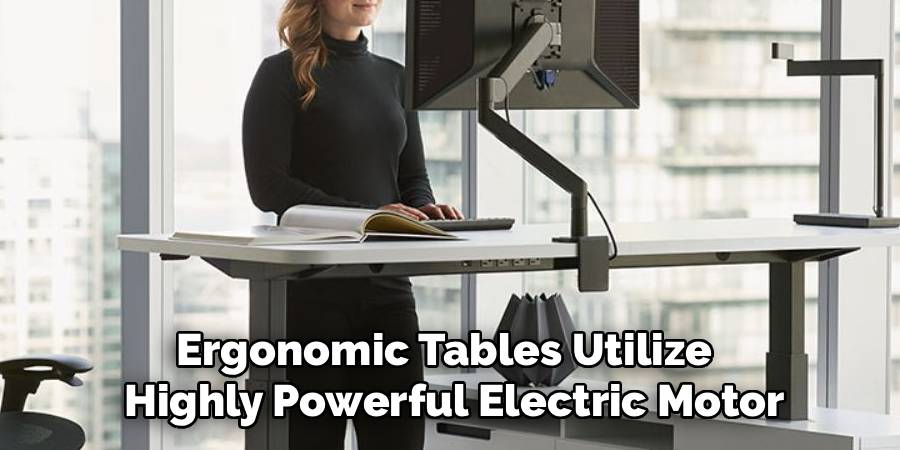
An electric desk uses one or more motors to lift the frame. You press a button, and the desk moves to your chosen height. Some electric models include memory presets, which store your preferred sitting and standing positions.
This is one key part of understanding how do standing desks work in daily use.
Step 3: Learn How The Lifting System Moves
The lifting system controls the vertical motion of the desk. In many electric models, motors turn internal parts inside the legs, allowing the lifting columns to extend or retract. The motion should be smooth, controlled, and even on both sides.
Manual crank desks use a mechanical drive system. When you turn the handle, the movement transfers through the frame and raises or lowers the legs. Some simpler risers lift only the top platform instead of the whole desk.
The best system for you depends on how often you adjust height and how much weight you keep on the desktop.
Step 4: Notice How The Desktop Stays Level
A standing desk needs to move without tilting your equipment. To do this, the frame must keep both sides moving at the same pace. Electric desks often use synchronized motors or a control box that helps coordinate movement between the legs.
Manual desks rely on the frame design and adjustment mechanism to keep the surface balanced. If one side moves unevenly or the desk is overloaded, the desktop may feel unstable.
This is why assembly matters. Tight bolts, a centered desktop, and balanced equipment placement all help the desk rise and lower more smoothly.
Step 5: Check Weight Capacity Before Use
Every standing desk has a weight capacity, and it matters more than many beginners realize. This limit includes everything on the desktop, such as monitors, arms, speakers, books, computers, and accessories. If the load is too heavy, the desk may move slowly, strain the lifting system, or become less stable.
Electric models often list a maximum lifting capacity. Manual models may also have limits based on the frame and adjustment method. You do not need to guess. Check the product information and stay within the recommended range.
A lighter, balanced setup usually performs better and feels safer.
Step 6: Set The Right Sitting And Standing Heights
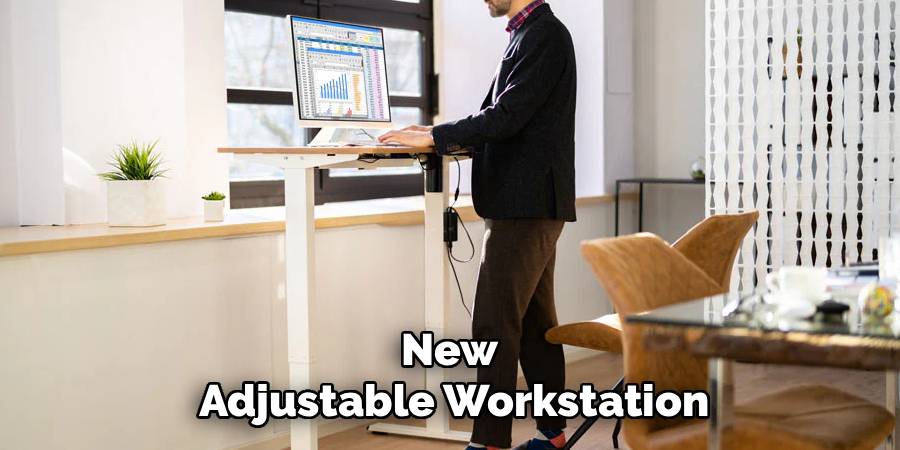
Proper height setup is where comfort begins. When sitting, your elbows should rest near a comfortable angle while your shoulders stay relaxed. Your feet should rest flat on the floor or on a footrest, and your screen should sit around eye level.
When standing, raise the desk so your forearms can rest comfortably near the keyboard without shrugging your shoulders. Your wrists should stay fairly neutral, not bent sharply up or down.
This practical setup is central to how do standing desks work because the desk only helps when its height matches your body.
Step 7: Build Healthy Transition Habits
A standing desk works best when you switch positions gradually. Many beginners make the mistake of standing too long on the first day, which can lead to tired legs, sore feet, or lower back discomfort. Start with short standing sessions and increase slowly.
You might stand for part of a task, then sit for focused work, then stand again during a call. The exact timing can vary by person. What matters most is regular movement.
Comfortable shoes, a supportive floor surface, and small posture changes can make standing sessions easier.
Step 8: Improve Stability And Everyday Comfort

Stability depends on the desk frame, foot design, floor surface, height, and load placement. Most desks feel steadier at lower heights and may show more movement when raised high. This does not always mean the desk is unsafe, but strong wobble can make typing and monitor use frustrating.
Place heavier items near the center of the desktop when possible. Make sure the desk stands on an even floor and that all screws are properly tightened. Avoid leaning heavily on the front edge.Good cable management also helps because cords should not pull, snag, or limit movement.
Frequently Asked Questions
Are Standing Desks Better Than Regular Desks?
Standing desks are not automatically better for everyone, but they offer more flexibility than a fixed desk. Their main advantage is height adjustment, which lets you alternate between sitting and standing. This can support better posture habits and more movement during the day. The best results come from using the desk with proper ergonomics, regular position changes, and a comfortable workstation setup.
Should I Stand All Day At A Standing Desk?
You should not stand all day just because your desk allows it. Long periods of standing can also cause fatigue, foot pain, or back discomfort. A better approach is to alternate between sitting, standing, and short movement breaks. Think of the desk as a tool for variety, not a rule that forces you to stay upright for hours.
What Height Should A Standing Desk Be?
The right height depends on your body, shoes, chair, keyboard, and monitor setup. In general, your elbows should rest comfortably near your sides when typing, and your shoulders should stay relaxed. Your screen should be high enough that you do not crane your neck downward. Adjust the desk until your posture feels natural rather than strained.
Do Electric Standing Desks Use A Lot Of Power?
Electric standing desks usually use power mainly when moving up or down. When idle, many models use very little energy, though exact use depends on the design. Since height changes are brief, power demand is typically limited during normal office use. If energy use matters to you, check the product specifications before buying a specific model.
Why Does My Standing Desk Wobble?
A desk may wobble because of loose hardware, uneven flooring, too much weight, poor load balance, or a frame that is less stable at taller heights. Start by checking that all bolts are tight and the feet sit evenly on the floor. Then reduce unnecessary desktop weight and keep heavy items centered. If wobble continues, review the desk’s setup guide.
Conclusion
Standing desks are simple in purpose but smart in design. They use a frame, lifting columns, adjustment controls, and a stable desktop to help you move between sitting and standing. Manual models rely on your effort, while electric models use motors and controls for easier height changes.
The key is to use the desk with good habits. Set the right height, respect the weight limit, balance your equipment, and switch positions before discomfort starts. Once you understand how do standing desks work, you can choose and use one with more confidence every day.

About
Alexis Kerr is a distinguished figure in the world of professional workspace optimization, with a decade of expertise creating innovative and ergonomic office environments. Her professional focus lies in merging organizational psychology with modern spatial design, fostering office setups that are both high-performing and employee-centric. As the lead author for Deskvity, Alexis Kerr delves into the art and science of corporate aesthetics and functionality, inspiring office managers and remote professionals alike.
Education Cornell University
(Ithaca, New York) Bachelor of Science in Design and Environmental Analysis Focus on human factors, workplace strategy, and sustainable interior environments. Gained extensive experience in how physical space influences productivity and mental clarity.
Savannah College of Art and Design (SCAD)
(Savannah, Georgia) Master of Fine Arts in Interior Design Specialized in commercial workspace solutions with a focus on blending digital integration with physical comfort. Participated in high-level industry projects to refine the balance between corporate branding and architectural utility.
Publications and Impact
In Deskvity, Alexis Kerr shares her insights on modern workspace trends, acoustic management, and strategies for efficient layout planning. Her writing bridges the gap between high-level architectural theory and practical day-to-day office needs, making it a must-read for both facility directors and individual professionals looking to elevate their work environment.