

A clean workspace can make a room feel calmer, larger, and more organized. Computer monitors are useful, but they can also dominate a desk, distract from your decor, or make a shared room look like a full-time office. If you want to learn how to hide computer monitors, the goal is not just to cover screens. It is to blend technology into your space in a way that still keeps your setup easy to use.
This matters for home offices, bedrooms, living rooms, studios, classrooms, and reception areas. A hidden or well-disguised monitor can protect privacy, reduce visual clutter, and help one room serve many purposes.
The good news is that you do not need advanced tools or a large budget. With the right method, you can hide a monitor using furniture, mounts, cabinets, folding panels, cable management, or smart placement.
Why Concealing Computer Screens Matters
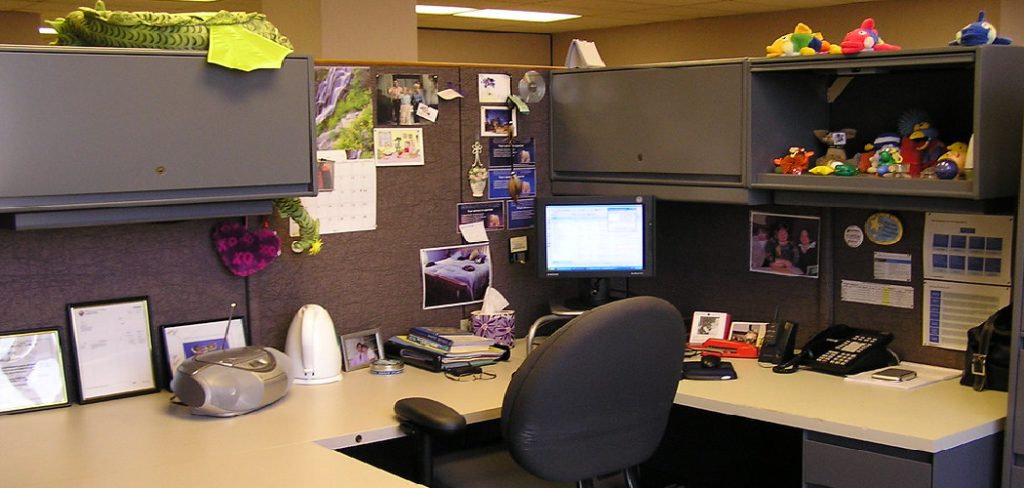
Concealing computer screens helps create a neater and more flexible space. It is especially useful if your work area sits in a living room, guest room, or shared office. When the monitor is out of sight, the room feels less busy and more intentional.
It can also improve privacy. If sensitive documents, client details, or personal messages appear on your screen, hiding the monitor when it is not in use adds a simple layer of protection.
There is also a design benefit. Monitors often have black frames, visible wires, and bulky stands that do not match every room style. By using a cabinet, wall panel, sliding door, or lift system, you can keep the function of your screen while improving the look of your space.
Step-By-Step Guide To How to Hide Computer Monitors
Step 1: Review Your Space And Daily Use
Start by looking at where your monitor sits and how often you use it. A screen you use every day needs a hiding method that opens quickly and feels natural. A monitor used only sometimes can be stored in a cabinet, behind a panel, or inside a desk compartment.
Think about the room’s purpose. A home office can handle a more visible workstation, while a living room may need a cleaner solution. Also check nearby outlets, lighting, chair position, and desk depth.
Your best option should hide the monitor without making your work harder.
Step 2: Choose Between Temporary And Permanent Solutions
Before buying furniture or hardware, decide whether you want a temporary or permanent setup. Temporary options include folding screens, fabric covers, desk dividers, and decorative panels. These are easy to move, affordable, and good for renters.
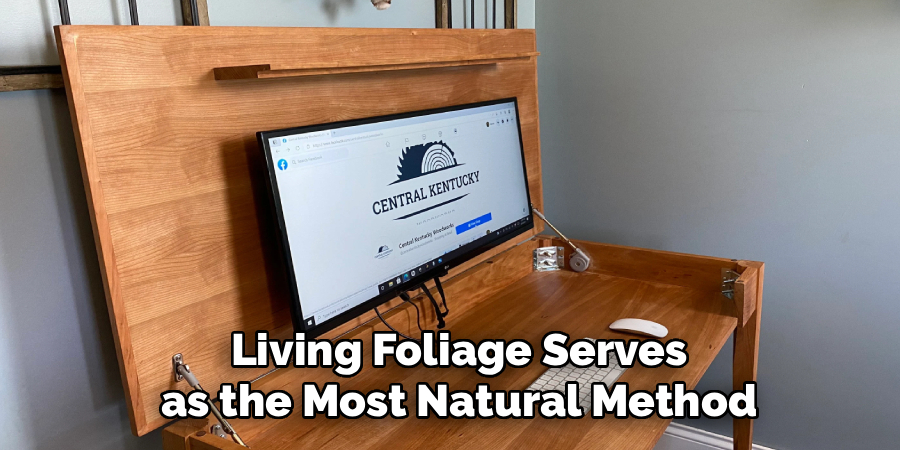
Permanent options include wall-mounted cabinets, lift desks, sliding panels, and custom built-ins. These look cleaner but take more planning.
If you are researching how to hide computer monitors for a rented apartment, temporary methods may be safer. If you own the space and want a polished result, a built-in solution may be worth the investment.
Step 3: Use A Monitor Arm For Flexible Positioning
A monitor arm is one of the easiest ways to control where your screen sits. It attaches to the back of your desk or wall and lets you move the monitor forward, backward, higher, lower, or to the side.
This helps because you can push the monitor away when you are done working. In some setups, you can swing the screen behind a shelf, beside a cabinet, or against a wall.
Choose an arm that supports your monitor’s size and weight. Also check whether your monitor has VESA mounting holes on the back. Most modern monitors do, but some may need an adapter.
Step 4: Hide The Screen Inside A Cabinet
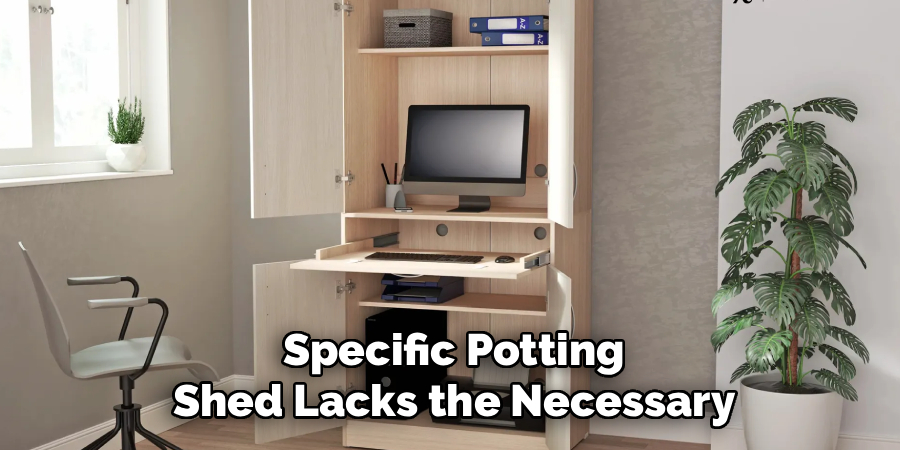
A cabinet is a strong option if you want the monitor completely out of sight. You can place the screen inside a shallow cabinet, armoire, or wall-mounted storage unit. When you need to work, open the doors. When you finish, close them.
This works well in bedrooms, dining rooms, and living rooms because the setup looks like normal furniture. Make sure the cabinet is deep enough for the monitor, stand, keyboard, and airflow.
Heat can build up in tight spaces, so avoid closing the doors while the monitor or computer is still running. Good ventilation helps protect your equipment.
Step 5: Add A Folding Screen Or Decorative Panel
A folding screen is a simple way to hide a monitor without changing your desk. Place it behind or in front of the workstation when the screen is not in use. You can choose wood, fabric, bamboo, or metal styles to match the room.
Decorative panels also work well. A framed corkboard, acoustic panel, canvas panel, or lightweight room divider can block the view of the monitor while adding style.
This method is ideal if you want a low-cost solution. It also works for people who move often or do not want to drill into walls.
Step 6: Create A Sliding Or Lift-Up Cover
A sliding cover gives your monitor a custom look. You can install a sliding wood panel, barn-door-style cover, or track system that moves across the screen. When you need the monitor, slide the panel open. When you are done, slide it closed.
A lift-up cover can work on a desk hutch or cabinet. It hides the screen behind a flap or hinged panel.
For anyone comparing ways for how to hide computer monitors in a stylish room, sliding covers are a great middle ground. They look intentional, save space, and keep the screen easy to reach.
Step 7: Manage Cables For A Cleaner Look
Even if the screen is hidden, messy cables can reveal the whole setup. Use cable sleeves, clips, under-desk trays, adhesive channels, or cable boxes to keep wires neat. Route cords along the back of the desk or wall so they are not visible from normal viewing angles.
Labeling cables can also help if you have several devices. This makes it easier to unplug or move equipment later.
Good cable management makes any hiding method look better. It also reduces tangles, prevents accidental unplugging, and creates a safer workspace.
Step 8: Test Comfort, Access, And Safety
After setting up your hiding method, test it for a few days. Open and close the cabinet, move the monitor arm, slide the panel, or reposition the screen as you normally would. Make sure the setup does not feel annoying or slow.
Check your posture too. The monitor should still sit at a comfortable height when in use. Hiding it should not force you to look down, twist your neck, or sit too far away.
Also consider airflow, screen protection, and stability. A hidden monitor should be neat, but it must also be safe and practical.
Frequently Asked Questions
Can I Hide A Monitor Without Buying New Furniture?
Yes, you can hide a monitor without buying new furniture. A folding screen, fabric cover, framed panel, or desk divider can block the view quickly. You can also rearrange your desk so the screen faces a wall or sits behind existing decor. These options are useful for renters, small rooms, or anyone who wants a simple and low-cost solution.
Is It Safe To Put A Monitor Inside A Cabinet?
It can be safe if the cabinet has enough space and ventilation. Monitors produce heat, and closed storage can trap that heat if airflow is poor. Keep the doors open while the monitor is running, or add vent holes if the cabinet is a long-term solution. Also make sure the shelf or surface can hold the monitor securely.
What Is The Best Way To Hide Dual Monitors?
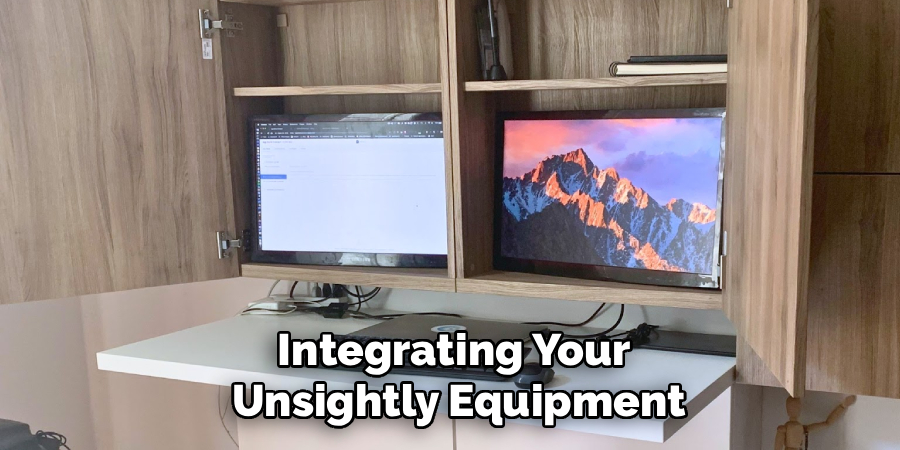
Dual monitors are easier to hide with a wide cabinet, long sliding panel, or dual monitor arm. A monitor arm can move both screens back when they are not in use, while a cabinet can conceal the full setup. The best choice depends on your desk size, room style, and how often you use both screens.
Can I Use Art To Cover A Computer Monitor?
Yes, art can be a creative way to cover a monitor. You can use a lightweight framed canvas, sliding artwork, or a hinged panel placed in front of the screen. The key is to avoid pressure on the display. The cover should not scratch, bend, or press against the monitor. Leave a small gap for protection.
How Do I Hide A Monitor In A Living Room?
In a living room, choose a method that blends with your furniture. A console cabinet, armoire, floating wall cabinet, or decorative room divider can work well. You can also place the monitor on a movable arm and swing it behind a shelf after use. Keep cables hidden so the area still looks like part of the room.
Conclusion
Hiding computer monitors is about creating a space that works well and looks good. You can use simple options like folding screens and cable clips, or choose more polished solutions like cabinets, sliding panels, and monitor arms. The right choice depends on your room, budget, and daily routine.
Focus on access, comfort, airflow, and safety. A hidden screen should still be easy to use when you need it.
If you are ready to improve your workspace, start with one small change today. Once you understand how to hide computer monitors, you can turn a cluttered desk into a cleaner, smarter, and more flexible area.
