

Most of us know a business can grind to a halt if its records aren’t in order. Perhaps you’ve spent more time than you’d like searching for a contract, or maybe you’ve seen a team chasing after misplaced invoices. A company’s lifeblood—its financials, client details, project history—relies on paperwork and data, whether it’s paper or pixels. Lose track of that, and you lose time, money, and, yes, your sanity.
Yet the challenge isn’t merely about where to put things. Create a setup that actually works, and suddenly, people can get what they need without a scavenger hunt. But how do you make those processes both accessible and safe, so everyone’s productive and nobody’s left wondering which folder to use or, worse, if they’re about to violate a privacy regulation? These are not small questions, and there isn’t always one right answer. Still, a system that fits your office, respects both digital and physical records, and adapts as you grow—well, that’s worth pursuing. In this guide on how to maintain files and records in office, we’ll cover the best practices and tools for keeping your important documents organized and secure.

Understanding Office Files and Records
What, precisely, are you organizing? Let’s clarify that first. “Office records”—a term thrown around far too casually—actually describes a vast array of documents. Employee hire forms, contracts, annual reviews, tax reports, receipts, project notes, email trails. Not all of these should be treated the same. Some, by their very nature, are the “evidence” of a business decision or transaction: a dated memo approving a new policy, a signed contract, or a payroll ledger. These must be preserved faithfully, unchanged, and available when someone asks for proof.
Regular “files,” meanwhile, are more fluid—think spreadsheets you constantly revise or drafts you circulate for feedback. People tend to blur these categories, but this small distinction matters. If you’re careless, you risk tossing out something you’ll need in an audit—or, just as dangerous, hanging onto outdated junk. A decent records strategy isn’t just about storage; it’s about understanding the life cycle of your information, from creation to the inevitable moment you shred, archive, or delete it for good.
7 Simple Step-By-Step Guidelines on How to Maintain Files and Records in Office
Step 1: Assess and Categorize Your Current Documents
Where do you start? Unless you know what you have, there’s no way to fix it. Begin with an audit. Yes, the word itself makes some people itch. But it’s surprisingly revealing. Gather your staff, peer inside every haphazard filing cabinet, and crack open the wild west of your digital folders. What emerges, usually, is a portrait of the office’s habits—half-finished checklists, three copies of the same estimate, sticky notes scanned in haste. Maybe you spot a drawer that everyone avoids.
This step is tedious but grounding. Once you’ve waded through the mess, look for patterns: Which documents are essential, and which just take up space? Possible categories might include HR, accounting paperwork, legal files, marketing plans, or that mysterious “miscellaneous” bin that’s been haunting you for years. Clustering by function makes for an intuitive hierarchy, and you’ll find future sorting gets easier. Skip this groundwork, and the chaos circles back in no time.

Step 2: Establish a Clear Naming Convention
Ever tried searching for “final_report_v6_REAL”? It’s a nightmare. People invent creative titles—no one’s innocent here—but those idiosyncrasies come at a steep cost later. A strong naming convention isn’t just bureaucratic nitpicking; it’s a kindness to future-you and your colleagues. Decide what matters. Maybe it’s the date (2023-07-01), a concise project name, the client, or a version number.
Spell it out for the team, ideally with examples. Show them that labeling a lease “2024-03-21_AcmeLeasing_Agreement_v3” doesn’t just satisfy the neat-freak; it lets anyone sort by date or scan for project info at a glance. Sure, old habits die hard, but consistency here saves hours and frustration. The time you invest in explaining this will pay for itself—the first time someone needs a file at a moment’s notice.
Step 3: Implement a Centralized Storage System
This is the real test. You can’t afford to let important reports lurk on random laptops, or allow critical paperwork to vanish somewhere between the front desk and the CEO’s office. Pick one official place for everything. Digital files? Decide whether your team’s best served by a secure cloud service or an in-house server with reliable access. Either works if it’s agreed upon and straightforward to use.
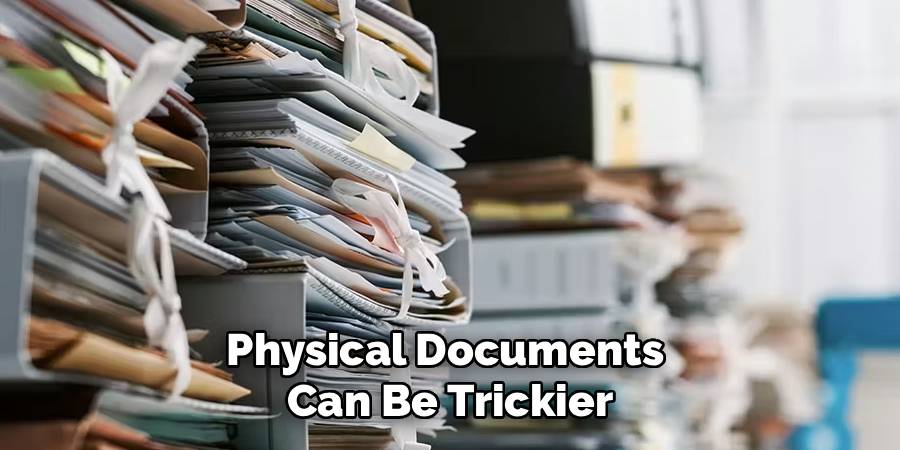
Physical documents can be trickier, particularly if you work with contracts or official forms not easily digitized. Pick a single cabinet or dedicate a room, label everything clearly, and set expectations for how items move in and out. It’s amazing how much clarity emerges just by keeping things in one spot. People shy away from asking where something “should” be, but when it’s obvious, chaos abates. Of course, no system prevents someone from putting a form on their desk “just for a minute,” but you’ll reduce that temptation with clarity.
Step 4: Set Up Access Controls and Security Measures
It hardly needs saying, but not every document is for every eye. Payroll, private notes, and business strategies are not dinner-table conversation, legally or ethically. Good intentions aren’t enough. Assign access by necessity—what’s called “role-based access”—so people only see what they need. Less exposure means less risk.
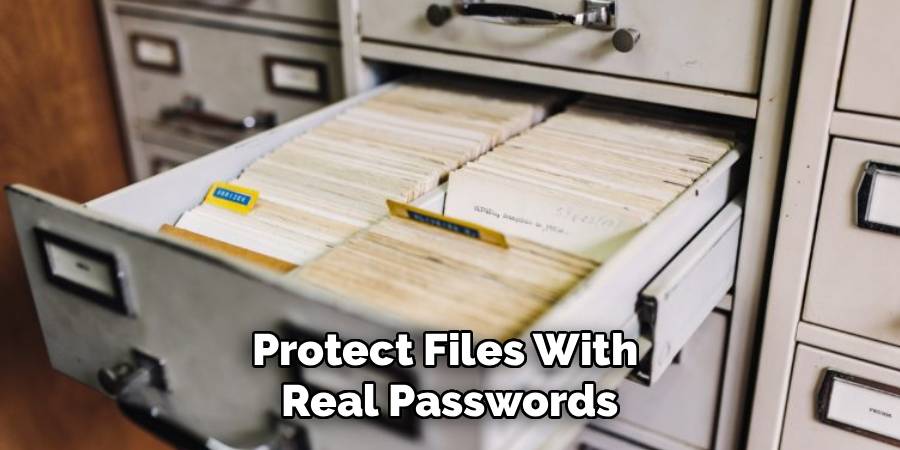
Security isn’t only about prying colleagues. What happens if your office floods, if a laptop’s stolen, or if—you guessed it—someone clicks the world’s most convincing phishing link? Protect files with real passwords, not “password123,” and enable two-factor authentication where possible. Physical cabinets might require plain, old-fashioned locks. And don’t forget offsite backups; the day you really need them, they’ll seem like pure genius.
Step 5: Create a Routine Maintenance Schedule
Every filing system starts with lofty hopes. Then, slowly, the paperwork creeps back. Random screenshots, emails saved “just in case,” and folders full of who-knows-what. The way forward? Regular, undramatic maintenance. Schedule cleanup sessions—not as punishment, but as a norm. Whether it’s monthly or quarterly, pencil it in so it doesn’t slip away.
These aren’t glamorous afternoons. But setting aside this time means you can nip minor annoyances before they become full-blown crises. Cross-check current folders with your retention policy. Delete drafts, archive old projects, and securely dispose of records no longer justified. Maybe nobody will thank you in the moment, but your systems will run smoother, and you sidestep the need for a panicked “spring cleaning” months down the line.
Step 6: Digitize Physical Paperwork Promptly
Paper: Some people aren’t ready to let it go, but it’s not doing you any favors. Missed invoices, contracts hiding in folders, unread signatures—all are hazards of ignoring digital workflows. It may not be practical to scan every scrap, but most incoming mail, receipts, and signed agreements can—and probably should—go digital soon after arrival.
Set a rhythm for this—even a daily habit, if possible. Once scanned, pause to check that the document is actually readable (double-sided, oddly formatted originals can be trickier than they look). Save it using your naming guidelines, and unless the law dictates otherwise, shred the original. You’ll gain back space, and your files will become much easier to search when you’re in a hurry.
Step 7: Train Your Team on Best Practices
Systems fail because people are unclear on how—or why—they should care. Even if you devise a flawless setup, your filing rules mean nothing if the team ignores them. Run clear training: not as a dry formality, but as a real, two-way conversation. Cover not just what needs doing, but why it matters. Write up a short, accessible manual rather than an epic treatise.
Don’t assume yesterday’s workshop lasts forever. Offer brisk refresher sessions, especially when software or policies change. If someone sees a workaround, encourage feedback instead of silent fixes. When your entire staff feels responsible and capable, you get less mess and, in time, almost automatic compliance.
Following these steps on how to maintain files and records in office will not only help you stay organized, but also ensure that your team is working efficiently and effectively. By creating a system that is easy to understand and follow, you can save time and avoid errors in the long run.

Tools and Software for Record Management
Modern record-keeping doesn’t mean laboring under complicated databases unless you need one. Any number of tools—consider Google Drive, OneDrive, or Dropbox—offer a good base for digital files. What should matter most is version tracking (who changed what, and when), and secure, flexible access for remote or part-time teams.
Regulated industries, of course, require a different standard. Specialized compliance platforms can help you match legal obligations on document retention or privacy, sparing you from costly penalties. And if you’re still sifting through scanned PDFs hoping for keywords to jump out, an investment in OCR (optical character recognition) software can save your nerves. Aim for tools that match your real volume and actual needs, not flashy features nobody uses.
Common Mistakes to Avoid
Most offices repeat the same handful of errors. Over-saving feels safer than tossing, but you’ll drown in duplicates and ancient drafts if you aren’t disciplined. Failing to update file names as projects evolve—or, worse, saving with no version control—means you’ll hunt endlessly for “the right one” in times of stress. It’s not unusual for someone to leave basic security unchecked, opening the door to both external hacks and internal missteps.
Another trap: skipping backups. Hard drives, sadly, do fail. Recovering lost data is unreliable at best, catastrophic at worst. And perhaps the most avoidable pitfall? Expecting staff to “figure it out” as they go. Without ongoing guidance, disorder always sneaks back.
Benefits of Proper File and Record Maintenance
Is there a payoff for your effort? There’s little doubt. You liberate employees from endless searches, and they spend less time improvising workarounds for broken systems. A tidy archive frees them to concentrate on new business, not relics of the past.
On another front, you limit legal exposure. It’s not melodramatic to say a missed document or lost record can turn into regulatory trouble or a lawsuit. Accessible, accurate records make audits far less harrowing. There’s also a subtler reward: a well-kept office exudes reliability, impressing both clients and your own staff, who find daily tasks that little bit less draining.
Frequently Asked Questions
Q1: How Long Should We Keep Business Records?
Retention varies—sometimes more than you might expect. Tax documents stick around for up to seven years in many cases, but HR or client records could require longer, depending on local rules. It’s wise not to guess. If in doubt, check in with a lawyer familiar with your industry to set out precise timelines.
Q2: What Is The Best Way To Destroy Sensitive Documents?
Physical paperwork, if confidential, really should go through a cross-cut shredder—those basic strip-cut ones won’t do. When faced with large purges or extra-sensitive files, a certified destruction service can be worth the expense. For digital files, emptying the trash is rarely sufficient; use proper software to wipe data from drives so it can’t be resurrected with free tools.
Q3: How Can We Encourage Employees To Follow The Filing Rules?
Make things simple. An intuitive, clearly documented system gets more buy-in than anything overly clever. Run recurring training, but also appoint a records manager (formal or informal) to keep an eye on compliance and answer questions. People are much more likely to play by the rules when there’s both encouragement and accessible help.
Conclusion
If you’ve read this far, perhaps you recognize how much there is to gain from straightening out your records. It won’t all happen in a single afternoon—nor should it—but small, steady improvements have a compound effect.
Audit what you use most, clarify your baseline, and then work to make your rules second nature. Before long, those old “where did it go?” moments become rare, and office life, while never perfectly tidy, feels less frantic and more productive. Thanks for reading this guide on how to maintain files and records in office.
