

You spend a massive portion of your week sitting at your desk. Yet, many people overlook the tool that directly impacts their daily comfort and long-term health: the office chair. Sitting in the wrong seat can lead to chronic back pain, stiff shoulders, and a serious drop in focus.
Finding the right chair is not just about picking the one that looks the nicest or fits your budget. It requires a thoughtful approach to ergonomics, adjustability, and personal fit.
This guide on how to choose office chair will walk you through exactly how to choose the perfect office chair. We will cover the core benefits of a great seat, give you a checklist of what you need before you shop, walk through 10 easy steps for making your choice, and highlight the biggest mistakes you should avoid. Let us dive in.
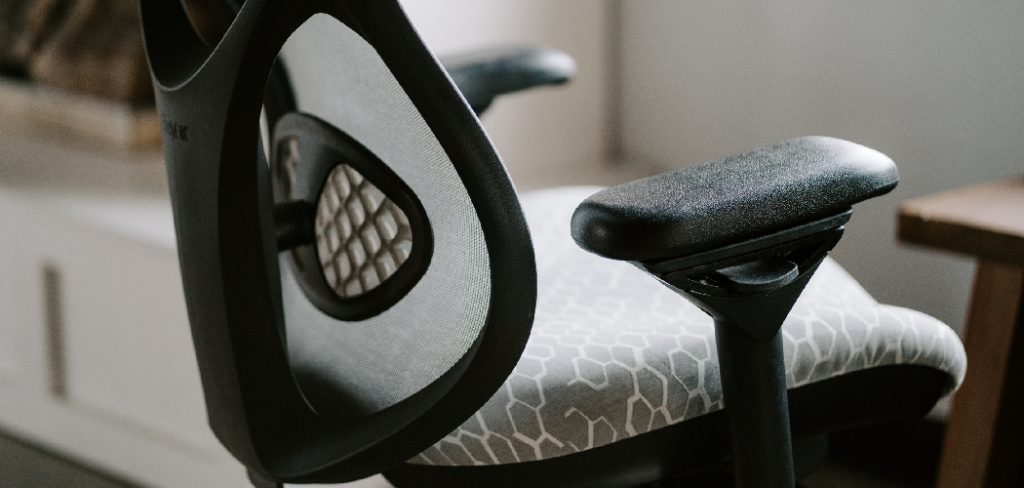
What Are the Benefits of a Good Office Chair?
Investing in a high-quality, ergonomic office chair pays dividends for your body and your workflow.
First, it protects your spine. A chair with proper lumbar support maintains the natural curve of your lower back, preventing slouching and reducing the risk of chronic pain. When you sit correctly, you take the pressure off your spinal discs and neck muscles.
Second, comfort directly impacts your productivity. When you are not constantly shifting around trying to get comfortable, you can focus entirely on the task at hand. Proper seating improves blood circulation, which helps keep you alert and energized throughout the workday.
What Will You Need?
Before you start clicking “add to cart” or driving to a furniture store, gather a few basic details about your workspace. Here is what you will need:
- A measuring tape
- Your body measurements
- Your flooring type
- A clear budget
10 Easy Steps on How to Choose Office Chair
Follow these steps to narrow down your options and find a chair that supports your body perfectly.
Step 1: Assess Your Desk Setup
Start by closely evaluating your current workspace configuration. Take accurate measurements of the distance from your floor to the underside of your desk to ensure that your new chair will fit smoothly, without cramping your legs or knocking against drawers. Consider the type of work you do—do you require wrist support, extra monitor space, or a keyboard tray? If you use a sit-stand desk, factor in how the chair needs to interact with it at the lowest sitting position. Establishing these parameters will prevent returns and discomfort later.

Step 2: Look for Adjustable Lumbar Support
Lumbar support is critical in preserving your spine’s natural S-shape and promoting healthy posture. Chairs with adjustable lumbar support let you move the support up, down, and sometimes even forward or backward, tailoring the fit to your unique back curve. Some advanced options also allow for firmness adjustments. Without proper lumbar support, you’ll be susceptible to fatigue and long-term injury, so don’t compromise in this area.
Step 3: Check Seat Height Adjustability
A chair that can’t be adjusted to the correct height for your desk or your legs can quickly cause discomfort and poor posture. Ideally, you want your feet flat on the floor, thighs parallel to the ground, and knees at a 90-degree angle. Look for pneumatic, easy-to-operate levers so you can make on-the-fly adjustments. Remember that optimal seat height for most is between 16 and 21 inches, but check your measurements to match your frame.
Step 4: Evaluate the Seat Depth and Width
Both seat depth and width play significant roles in comfort—too shallow, and you won’t have enough thigh support; too deep, and your legs will suffer from reduced circulation. Ideally, you should be able to sit with your back against the backrest, leaving a 2-4 inch space between the back of your knees and the seat’s front edge. Chairs with sliding seat pans or adjustable depth accommodate a broader range of body types and working positions.
Step 5: Choose the Right Material
The upholstery of your office chair affects how comfortable you’ll be during long sessions at your desk. Mesh materials are highly breathable, making them a great choice in warm climates or for people who tend to sweat easily. Fabric seats offer plush comfort but can trap heat. Leather and faux leather are stylish and easy to clean, though they can get warm over time. Also, check the padding’s density; too soft and it will compress, too hard and it may cause pressure points.
Step 6: Test the Armrests
Armrests should support your forearms gently without forcing your shoulders up or constraining your movement. Look for options that adjust in at least two directions (height and width), or ideally, multi-directional “3D” or “4D” armrests that pivot, slide, and swivel to accommodate different working positions. Proper arm support minimizes shoulder and neck strain, especially if you type for hours each day.

Step 7: Inspect the Backrest Recline and Tilt
Maintaining just one posture for extended periods isn’t healthy; your chair should offer flexibility and movement. A quality office chair will recline smoothly, allowing you to lean back safely while keeping your feet on the floor. The best chairs feature synchronized tilt mechanisms and tilt tension control so you can decide how easily the chair leans and the angle it supports, encouraging micro-movements and reducing lower back pressure.
Step 8: Pay Attention to the Casters
Casters—the wheels on your chair—need to be suited to your flooring to prevent scratches, rolling issues, or accidents. Standard hard casters are fine for carpeted offices as they grip the fibers, but if you have hardwood, tile, or laminate, opt for soft or rubber casters to avoid damage and skate-like sliding. You can also purchase replacement caster sets if you change flooring types later.
Step 9: Verify the Weight Capacity
Safety and durability hinge on matching the chair’s weight capacity to your needs. Most standard chairs are rated for up to 250 pounds. If you weigh more or are seeking a chair that can withstand heavy use, look for “big and tall” models with reinforced frames and larger bases. Exceeding the recommended capacity can cause malfunctions, instability, and void the warranty, so always check technical specs before purchasing.

Step 10: Check the Warranty and Return Policy
An office chair is an investment in your daily well-being, so support after the sale is crucial. Review the manufacturer’s warranty for coverage on moving parts, frames, and upholstery—five years or more is a strong sign of quality. Additionally, check if the retailer offers a hassle-free return policy. You may need an adjustment period to find out if the chair truly fits you, and a flexible policy ensures you can make a confident, risk-free choice.
By following these tips and taking the time to research and test out different options, you can find the perfect office chair that will not only support your body but also enhance your productivity.
5 Things You Should Avoid
- Buying Purely for Looks: That minimalist aesthetic might look great on social media, but stiff, unadjustable designer chairs often cause terrible back pain.
- Skipping the Lumbar Support: Never buy a chair with a completely flat backrest. It will ruin your posture.
- Ignoring Your Desk Height: Buying a chair that cannot slide under your desk will force you to lean forward constantly, straining your neck.
- Skimping on Seat Padding: Cheap foam degrades quickly. Within a few months, you will feel like you are sitting on bare plastic or metal.
- Forgetting About the Wheels: Using hard plastic wheels on a hardwood floor will destroy your flooring and make the chair dangerously slippery.
Frequently Asked Questions
- How Long Should a Good Office Chair Last?
A high-quality ergonomic office chair should last anywhere from seven to ten years with regular use. The lifespan depends heavily on the build quality, materials used, and how well you maintain it. Signs that you need a replacement include flattened seat cushions, broken adjustment levers, or a sinking pneumatic cylinder that no longer holds its height. - Are Gaming Chairs Good for Office Work?
Gaming chairs can work for an office environment, but they often prioritize visual design over ergonomic health. Many feature bucket seats that restrict movement and flat backrests with poorly designed lumbar pillows. For long hours of typing and focused work, a dedicated ergonomic office chair with breathable mesh and built-in adjustable lumbar support is usually a far better investment. - How Do I Know if My Chair is Causing My Back Pain?
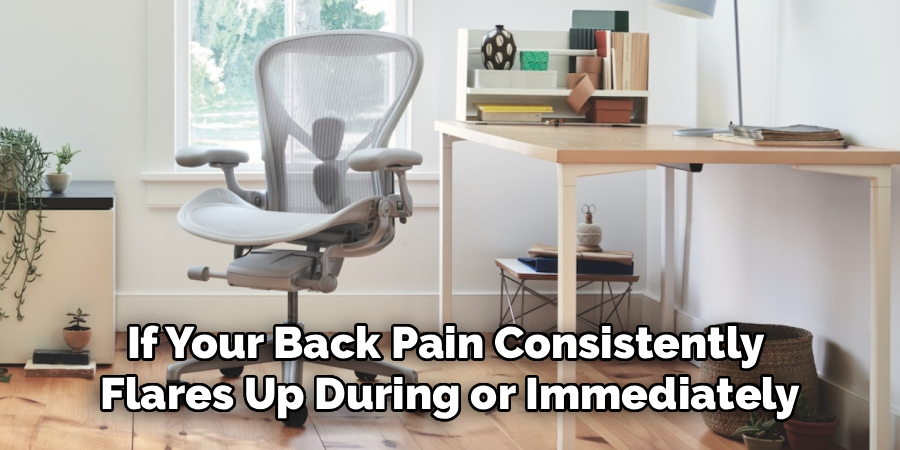
If your back pain consistently flares up during or immediately after your workday but improves on the weekends, your chair is likely the culprit. You might notice yourself constantly shifting your weight, slouching, or leaning forward to get comfortable. A lack of lumbar support or an incorrect seat height often triggers these uncomfortable habits and results in pain.
Conclusion
Choosing the right office chair is a critical step toward a healthier, more productive work life.
By prioritizing ergonomic features like adjustable lumbar support, proper seat depth, and breathable materials, you can create a workspace that actually supports your body. Use the 10 steps outlined above to guide your shopping process, and do not be afraid to invest in your comfort.
Hopefully, this guide on how to choose office chair has provided valuable information on how to select the best office chair for your needs. Take action today, measure your workspace, and find a chair that will keep you focused and pain-free for years to come.
